Apps tagged with 'compressed-backup'

All apps in Apps tagged with 'compressed-backup' category. Use the filters below to narrow down your search. 
Copy a direct link to this comment to your clipboard
  1. rsync icon
     271 likes

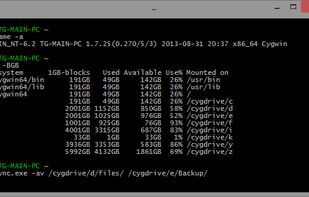
    rsync is a software application for Unix which synchronizes files and directories from one location to another while minimizing data transfer using delta encoding when appropriate. An important feature of rsync not found in most similar programs/protocols is that the mirroring...

    Cost / License

    Application type

    Platforms

    • Linux
    • BSD
    • Cygwin
    • Haiku
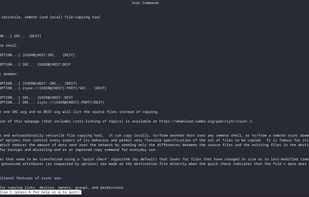
    First of 3127 lines of Manual pages
    rsync screenshot 1
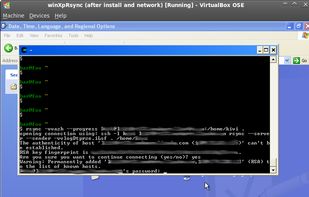
    rsync screenshot 2
    132 alternatives
  2. Déjà Dup icon
     80 likes

    Déjà Dup is a simple backup tool. It hides the complexity of doing backups the Right Way (encrypted, off-site, and regularly) and uses Restic behind the scenes.

    Cost / License

    Application type

    Platforms

    • Linux
    • Flathub
    • GNOME
    Déjà Dup screenshot 1
    Déjà Dup screenshot 1
    Déjà Dup screenshot 2
    +1
    Déjà Dup screenshot 3
    91 alternatives
  3. Areca Backup icon
     37 likes

    Areca Backup is a file backup software which can be run on Windows or Linux. It creates backup copies (which can be encrypted and compressed) of your files and stores them on external drives, USB keys, FTP servers, supporting incremental, differential and full backups.

    Cost / License

    • Free
    • Open Source

    Application type

    Alerts

    • Discontinued

    Platforms

    • Windows
    • Linux
    Main screen (Logical view)
    Target definition
    Compression
    +2
    Filters
    82 alternatives
  4. ViceVersa icon
     15 likes

    ViceVersa does File Synchronization, File Replication, File Backup and File Comparison. It can automatically verify data using a CRC32 checksum.

    Cost / License

    • Freemium
    • Proprietary

    Application type

    Platforms

    • Windows
    Main Window
    Shortcut Creation
    Settings Window
    53 alternatives
  5. FBackup icon
     14 likes

    FBackup is a free backup software for both personal and commercial use. It protects your important data by backing it up automatically to any USB/Firewire device, local or network location. The backed up data can be either compressed (using standard zip compression) or an exact...

    Cost / License

    • Free
    • Proprietary

    Platforms

    • Windows
    FBackup Main Window
    FBackup Wizard
    FBackup Properties
    61 alternatives
  6. Bonkey icon
     7 likes

    Despite a name that conjures up comedic visions, Bonkey the Backup Monkey is a serious backup program with tremendous potential. Not that it isnt good now; The program is easy to use, puts all the relevant options at your fingertips and backs up to multiple locations--including...

    Cost / License

    • Free
    • Open Source

    Application type

    Alerts

    • Discontinued

    Platforms

    • Mac
    • Windows
    Locations
    Add files and folders
    Targets
    +2
    Backup Settings
    56 alternatives
  7. Backup Maker icon
     5 likes

    BackUp Maker automates data backups for files and folders with ease. Create scheduled or event-based backups, use filters, and manage multiple backup generations for secure, reliable data protection.

    Cost / License

    • Free Personal
    • Proprietary

    Application type

    Platforms

    • Windows
    Backup Maker screenshot 1
    Backup Maker screenshot 1
    Backup Maker screenshot 2
    +7
    Backup Maker screenshot 3
    59 alternatives
  8. GFI Backup icon
     8 likes

    GFI Backup will allow all home PC users to keep regular and updated copies of their precious memories in the form of pictures, video, and other files and safeguard their data in case something goes wrong.

    Cost / License

    • Free Personal
    • Proprietary

    Alerts

    • Discontinued

    Platforms

    • Windows
    GFI Backup screenshot 1
    GFI Backup screenshot 1
    GFI Backup screenshot 2
    50 alternatives
  9.  2 likes

    zsync is a file transfer program. It allows you to download a file from a remote server, where you have a copy of an older version of the file on your computer already. zsync downloads only the new parts of the file. It uses the same algorithm as rsync.

    Cost / License

    • Free
    • Open Source

    Platforms

    • Linux