Apps tagged with 'App Organizer'

All apps in Apps tagged with 'App Organizer' category. Use the filters below to narrow down your search. 
Copy a direct link to this comment to your clipboard
  1. Start icon
     1 like

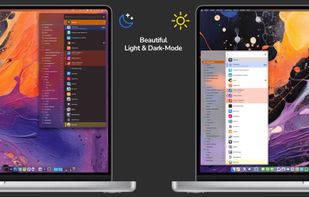
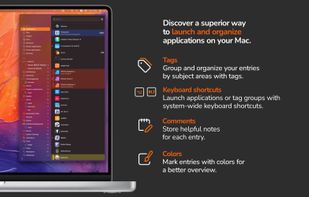
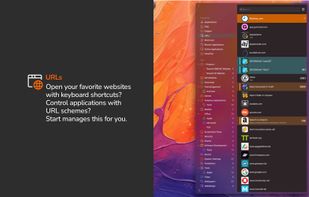
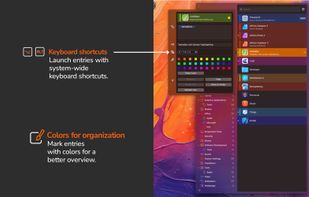
    With start, the innovative launcher for macOS, you can open applications, documents, shortcuts, URLs, and folders in an instant. Say goodbye to clutter - start brings order and efficiency to your workflow.

    Cost / License

    • Paid
    • Proprietary

    Application type

    Platforms

    • Mac
    • MacPaw Setapp
    • DE flagGermany
    • European Union flagEU
    Start screenshot 1
    Start screenshot 1
    Start screenshot 2
    +2
    Start screenshot 3
    60 alternatives
  2. JINA icon
     15 likes

    App Drawer Organizer, Sidebar, App Manager, automatic Folder Organizer: all in one!.

    Cost / License

    • Free
    • Proprietary

    Application type

    Platforms

    • Android
    • Android Tablet
    JINA screenshot 1
    JINA screenshot 1
    JINA screenshot 2
    +5
    JINA screenshot 3
    30 alternatives
  3. DockPops icon
     1 like

    Swipeable app groups in your Dock. Organize apps, files, and folders into named Pops. SmartyPops suggests groups for you. Native Mac app, no tracking, fully sandboxed.

    Cost / License

    • Freemium
    • Proprietary

    Application type

    Platforms

    • Mac
    • US flagUnited States
    DockPops screenshot 1
    DockPops screenshot 1
    DockPops screenshot 2
    +1
    DockPops screenshot 3
    1 alternatives
  4. Glextor AppManager will organize your existing apps by auto-grouping them based on Google Play categories and newly installed ones will be automatically categorized. Best of all, you can personalize these groups any way you want (i.e.

    Cost / License

    • Freemium
    • Proprietary

    Platforms

    • Android
    • Android Tablet
    • US flagUnited States
    Glextor AppManager screenshot 1
    Glextor AppManager screenshot 1
    4 alternatives
  5. Homepage Panda is a Mac app that turns your iPhone home screen into a real editor. Connect your iPhone with a USB cable, load the layout, and see every page, folder and widget side by side on your Mac. Drag apps between pages with your mouse, search for any app across all pages...

    Cost / License

    • Paid
    • Proprietary

    Application type

    Platforms

    • Mac
    • NZ flagNew Zealand
    The editor with every home screen page loaded from the iPhone, side by side.
    Search highlights matching apps across all pages and folders.
    Open a folder to rearrange its contents or drag apps in and out.
    +2
    Batch tools: sort alphabetically, delete all folders, clean up pages in one click.
    3 alternatives