





Zentek Studio
1 like
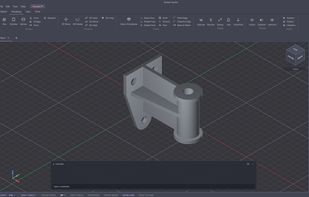
Zentek Studio is a free 2D drafting and 3D solid-modeling CAD application for Windows. It combines a full 2D drawing environment and a 3D modeler into one native desktop app with no registration, no accounts, no cloud lock-in, and pure local file storage.

Cost / License
- Free
- Proprietary
Application typeApplication types
 EU
EUPlatforms
- Windows


Features
Zentek Studio News & Activities
Highlights All activities
Recent activities
- Zentek-Software liked Zentek Studio
- Zentek-Software added Zentek Studio
 Zentek-Software added Zentek Studio as alternative to Autodesk AutoCAD, LibreCAD, FreeCAD, SketchUp and 19 more

Zentek Studio information
Developed by
 Zentek Software
 Licensing
Proprietary and Free product.Alternatives
23 alternatives listedBadge
Get an embeddable badge for Zentek StudioSupported Languages


No comments or reviews, maybe you want to be first?