ZenOCR Alternatives

ZenOCR is described as 'Menu bar OCR app for macOS. Trigger it with a global shortcut to capture any part of the screen, or drag an image or PDF onto it, and it extracts the text instantly. It can convert PDFs to Markdown while preserving tables and math (LaTeX), which makes it handy for' and is an app in the office & productivity category. There are more than 50 alternatives to ZenOCR for a variety of platforms, including Windows, Mac, Android, iPhone and Linux apps. The best ZenOCR alternative is OSS Document Scanner, which is both free and Open Source. Other great apps like ZenOCR are MakeACopy, Snagit, NormCap and GImageReader.

Copy a direct link to this comment to your clipboard
ZenOCR alternatives page was last updated

Alternatives list

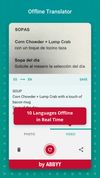
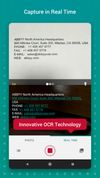
  1. ABBYY TextGrabber easily and quickly digitizes fragments of printed text and turns the recognized result into action: call, email, follow links, find on maps, translate into 100+ languages, edit, voice over and share in any convenient way.

    Cost / License

    • Freemium
    • Proprietary

    Application type

    Platforms

    • Android
    • iPhone
    • Android Tablet
    • iPad
     
  2. WindowTextExtractor allows you to get a text from any window of an operating system including microsoft office programs, console windows and etc. It can recover password stored behind asterisks (*****) from most of the windows apps.

    Cost / License

    • Free
    • Open Source (MIT)

    Platforms

    • Windows
     
  3. img2txt.com icon
     12 likes

    img2txt.com is an online OCR service that allows you to get text from a picture or scanned page.

    Cost / License

    • Free
    • Proprietary

    Platforms

    • Online
     
  4. WatchOCR icon
     3 likes

    WatchOCR is an open source OCR server that creates searchable pdfs from images in a watched folder.

    Cost / License

    • Free
    • Open Source

    Platforms

    • Linux
     
  5. You can use Easy Screen OCR to capture a snapshot and start OCR process. this program will detect the text from the image and start OCR process immediately. You can extract the text to copy and paste in seconds.

    Cost / License

    • Paid
    • Proprietary

    Platforms

    • Mac
    • Windows
    • Android
    • iPhone
     
  6. Text recognition finally made easy, super efficient and confidential (no server, your data stays on your device). Textify analyzes images, recognizes text, and creates PDF files with the text integrated such that the files are searchable. Or you can simply export to a .txt file.

    Cost / License

    • Free Personal
    • Proprietary

    Platforms

    • Mac
     
  7. qscreenshot icon
     1 like

    Simple creation and editing of screenshots.

    Cost / License

    • Free
    • Open Source

    Application type

    Alerts

    • Discontinued

    Platforms

    • Mac
    • Windows
    • Linux
     
  8. Screen OCR icon
     3 likes

    Screen OCR is a screen capture and character recognition tool. You can use Screen OCR in any way you are most comfortable with. It can be window selection, scrolling capture, simple cursor capture or rectangular selection.

    Cost / License

    • Paid
    • Proprietary

    Application type

    Platforms

    • Windows
     
  9. Boxoft Screen OCR is fast and easy-to-use software which helps to extract any area on your screen, recognize every character and then save as TXT file. Price: 27 USD. The smart tool enables you to select text from anywhere on the screen, including areas that you cannot highlight...

    Cost / License

    • Paid
    • Proprietary

    Application type

    Platforms

    • Windows
     
  10. Turn your paper documents into digital files. Auto-detect edges, correct perspective, enhance images, extract text with OCR, and export as PDF or images.

    Cost / License

    • Paid
    • Proprietary

    Application type

    Platforms

    • Mac
    • Windows
     
  11. Snip-Snap! is a lightweight, privacy-focused screenshot utility for Windows 10/11. Capture regions, windows, or full screens with pixel-perfect precision using a built-in magnifier. Features a powerful editor with annotations (arrows, text, shapes, highlighters), quick styles...

    Cost / License

    • Free
    • Proprietary

    Application type

    Platforms

    • Windows
     
  12. ClipAce icon
     1 like

    AI-powered screenshot utility for region, window, and full-screen capture, featuring background removal, optical character recognition, image enhancement, annotation, watermark, and signature tools. Supports creatives, professionals, and content sharing workflows.

    Cost / License

    • Free
    • Proprietary

    Application type

    Platforms

    • Windows
     
You are at page 4 of ZenOCR alternatives