Plain Markdown notes, tasks, calendar, and maps, working together
YouDo starts from ordinary Markdown files — one per note or event, organised in your own folder tree — and adds the planning tools you'd normally cobble together from separate apps: tasks, dates, calendar, and maps, all built on top of those same files.
What's in a note
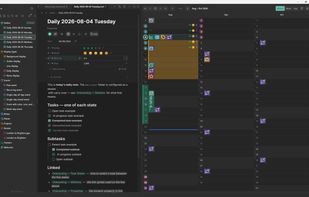
A block-based editor over plain .md files — what you see is what's saved to disk, no database, no proprietary format. Notes carry checkable tasks you can reorder, reprioritise, and schedule inline, plus typed properties (dates, numbers, tags, locations) stored as standard YAML frontmatter. Set properties once on a folder and they cascade down to every note inside it, with overrides where you need them. Wikilinks and automatic backlinks connect notes together.
When
Recurring daily/periodic notes ("Streams") carry unfinished tasks forward automatically — journal, planner, and log in one. A full calendar (month/week/day, timezone-correct, with reminders) sits alongside habit and number tracking built for long-term patterns, not just today. Geotagged photos show up as thumbnails on the day they were taken, turning your calendar into a visual timeline.
Where
Notes and places live on an interactive map. Chain places into a multi-stop route, set how long you're staying at each, and the dates cascade automatically — lock what's already booked and the rest plans around it. Drop in a .gpx, .kml, or .tcx file and see it drawn on the map without ever rewriting the original.
Everything optional, off by default
YouDo works fully offline. Integrations (Claude AI for writing/auto-fill, Google Calendar two-way sync, Strava import, MapTiler, Geoapify) use your own keys/accounts and can be toggled independently. No-account services (weather via Open-Meteo, geocoding via OpenStreetMap, road routing via Valhalla) work without signup. One master "online access" switch cuts all network activity at once, including key checks.
No lock-in
Notes are plain CommonMark .md files, readable in VS Code, Obsidian, or anywhere else. Properties are standard YAML frontmatter. Calendars sync/export as .ics. Photos stay ordinary JPG/PNG with EXIF intact. Routes are numbered lists with RFC 5870 geo: links; GPS tracks stay untouched GPX/KML/TCX. If YouDo isn't for you, your data already lives in formats every other tool reads — no export process required.








 Sebastian Mayer
