WonderPen icon
WonderPen icon

WonderPen

 2 likes

WonderPen is a professional writing app with a focused and fluid writing experience.
WonderPen screenshot 1

Cost / License

  • Pay once
  • Proprietary

Application type

Since

  • Since 2020

Platforms

  • Windows
  • Mac
  • Linux
  • Flathub
2likes
0articles
Save

Features

Properties

Features

Highlights All activities

WonderPen News & Activities

Recent News

No news, maybe you know any news worth sharing?

Share a News Tip

Recent activities

WonderPen information

AlternativeTo Category

News & Books

Popular alternatives

View all
WonderPen was added to AlternativeTo by Just Some Procrastinator Reviewing Productivity Software on and this page was last updated .

No comments or reviews, maybe you want to be first?

Official Links

Install from the command line

  • winget install -e --id TominLab.WonderPen
  • flatpak install flathub com.tominlab.wonderpen

Be careful what you paste into a terminal. Check what a command installs before running it.

What is WonderPen?

Features

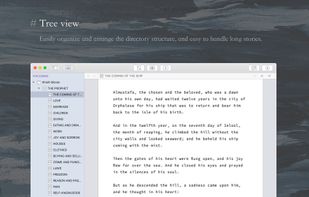
  • Directory tree WonderPen uses a tree directory to organize documents, so it is ideal for long writing. You can complete the work from top to bottom, or you can organize the writing outline in the catalogue and then fill it one by one. Directories can be easily adjusted for indentation or dragged for sorting.

  • Document Memos In the writing process, you may need to add some notes, but you don't want to display them in the final output of the document. In this case, you can put these notes in the Memo column on the right.

  • Export to multiple formats WonderPen supports exporting to multiple formats, including images (PNG), PDF, Word, text, web pages, and more. When exporting, you can choose to export only the currently selected node or its child nodes.