win-vind icon
win-vind icon

win-vind

 1 like

You can operate Windows with key bindings like Vim.
win-vind screenshot 1

Cost / License

  • Free
  • Open Source (MIT)

Since

  • Since 2022 (archived)

Releases

  • No releases last yearNone last year

GitHub

  • GitHub stars: 2.3k

Platforms

  • Windows
1like
0articles
Save

Features

Highlights All activities

win-vind News & Activities

Recent activities

No activities found.

win-vind information

AlternativeTo Category

Development

GitHub repository

  •  2,254 Stars
  •  64 Forks
  •  90 Open Issues
  •   Updated  (Archived)
View on GitHub
win-vind was added to AlternativeTo by dasseeman on and this page was last updated .

No comments or reviews, maybe you want to be first?

Featured in Lists

internet and protocols

A list with 29 apps by kaekazeh without a description.
By kaekazeh29 appsUpdated

Official Links

Install from the command line

  • winget install -e --id pit-ray.win-vind

Be careful what you paste into a terminal. Check what a command installs before running it.

What is win-vind?

win-vind provides a lightweight hybrid UI system of CUI and GUI for Windows. By installing this tool, you will be able to control the Windows GUI in the same way as Vim.

System Design

  • Fast binding system
  • Vim-like mode management
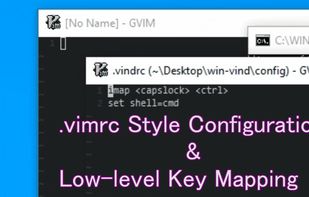
  • .vimrc style configuration
  • Running in user permission
  • Oneshot use for Vim or AHK (e.g. $ win-vind -f easy_click_left)

Top Features

  • GUI operation without mouse
  • Vim emulation everywhere
  • Process launcher like :!vim ~/.vimrc on resident command line
  • Low-level key mapping (e.g. Capslock -> Ctrl)
  • Keystroke macros
  • Tiling window manager
  • Hinting feature like Vimium or EasyMotion for GUI.