





WiggleGrid
Like
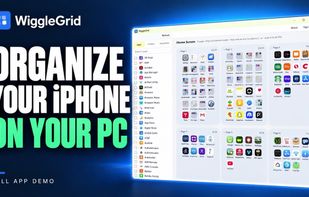
Windows software for arranging an iPhone Home Screen: view every page and the Dock, move apps between pages and folders, create folders, delete multiple apps, review changes, then safely apply the layout over USB with a saved snapshot and one-click restore.


Features
Highlights All activities
WiggleGrid News & Activities
Recent activities
 WonderNook-Studios added WiggleGrid as alternative to Icon Mosaic
 Drake-Wheeler added WiggleGrid as alternative to Thumbwise
- kjdalpor added WiggleGrid
 Fla added WiggleGrid as alternative to 4Easysoft iPhone Cleaner
- Fla updated WiggleGrid
- kjdalpor updated WiggleGrid
- kjdalpor updated WiggleGrid
 kjdalpor added WiggleGrid as alternative to iMazing and 3uTools


Developed by
 WiggleGrid
Licensing
Proprietary and Commercial product.Pricing
One time purchase (perpetual license) that costs $20.Alternatives
5 alternatives listedBadge
Get an embeddable badge for WiggleGridSupported Languages

No comments or reviews, maybe you want to be first?