Use Web Inspector: Easily inspect element, use devtools, harness developer tooling and activate chrome debugger for work.
🚀 Elevate Your Development Experience with Our Ultimate Chrome Extension!
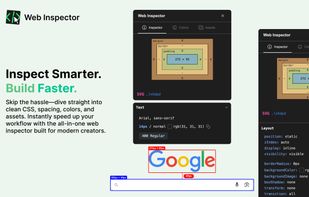
💻 Welcome to the next generation of web inspection and debugging! Designed especially for frontend developers and designers, our extension transforms your browser into a powerhouse of productivity and creativity.
🧑?💻 Whether you're a seasoned developer or just starting your design journey, this tool offers an intuitive yet feature-rich experience to inspect, analyze, and optimize every element of your projects.
🎨 Mastering the Art of Inspection
🧐 Curious about the fundamentals? Let's answer those burning questions:
? What is web inspector?
💡 These tools allow you to dive deep into the structure of any webpage, revealing the underlying HTML, CSS, and JavaScript in real time.
? Are you familiar with the safari web inspector?
💡 You'll appreciate how our extension brings that same level of insight, making it easier than ever to understand and manipulate your content.
? Are you looking for an html web inspector experience online?
💡 Our tool provides a robust alternative that fits right into your workflow.
🌟 Key Features & Tools
? Our app is loaded with features that combine friendly design with technical precision. Check out what you can do:
🔢 Numerical List of Core Capabilities
- Web inspector shortcut – Set up and use it faster.
- Instant CSS Insights – Click to reveal CSS styles and rules instantly.
- Asset Extractor – Grab images, icons, and other assets with just one click.
- Viewport Tools – Precisely measure distances, sizes, and alignment on any webpage.
🖍? Emoji-Number List for Quick Reference
1?? Advanced Color Tools – Web inspector in chrome discover and extract color palettes effortlessly.
2?? Typography Explorer – Uncover detailed typography information and font pairings.
3?? Built-In Accessibility Checker – Ensure your designs meet color contrast and readability standards.
🔍 Advanced Developer Tools Integration
🧑?💻 Our extension isn't just about basic inspection—it's about advanced chrome devtools that empowers you to code smarter. Enjoy seamless integration with a suite of tools:
- Chrome dev tools: Enhanced integration for deeper code analysis.
- Your go-to set of utilities for real-time debugging and performance tuning.
- Devtools: Familiar interfaces with added features for maximum productivity.




 fredrick added Web Inspector as alternative to Code Specimen
 Paul added Web Inspector as alternative to Mesurer
 Soraiadev9 added Web Inspector as alternative to MiroMiro
 Paul added Web Inspector as alternative to InSpec
 niconiconi added Web Inspector as alternative to Frontend Hero


No comments or reviews, maybe you want to be first?