




Wakeful
2 likes
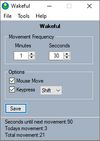
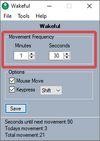
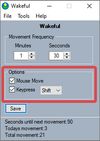
Keeps your computer in an active state. No install required, fully portable and can run from a USB. Completely free for everyone.


+2

Warning
From VirusTotal: 28 security vendors and no sandboxes flagged this file as malicious https://www.virustotal.com/gui/file/c1cfba23dbe0385937a4306fbccb934ba4234c502993080b7cfacc171ada4ec1

Features
Highlights All activities
Wakeful News & Activities
Recent activities
 Tumerit added Wakeful as alternative to Tethered (Tumerit)
 DcXor added Wakeful as alternative to Placide Jiggler
 Alex Jenkins added Wakeful as alternative to Chai by lvillani
 GM Kamrussama added Wakeful as alternative to PowerLockGuard
 Paul added Wakeful as alternative to goguma app
 cautity added Wakeful as alternative to caffeinate & disablesleep
 Paul added Wakeful as alternative to rucksack for Mac
 rjfalcon added Wakeful as alternative to ScreenWakeUp


Developed by
Loop and KeyLicensing
Proprietary and Free product.Alternatives
44 alternatives listedBadge
Get an embeddable badge for WakefulSupported Languages


Comments and Reviews
As of May 2022, VirusTotal.com notes that 28 vendors indicated this file is malicious: https://www.virustotal.com/gui/file/c1cfba23dbe0385937a4306fbccb934ba4234c502993080b7cfacc171ada4ec1