Verso Writer is a word processor that feels like it belongs on your Mac, because it does. Built natively for macOS, it launches in under a second, respects Dark Mode, and never asks you to create an account or sign into anything.
It reads and writes .docx and Markdown files. Your documents work everywhere: Microsoft Word, Google Docs, LibreOffice, GitHub. No conversion headaches, no lost formatting.
WHY YOU WILL LOVE VERSO
It's fast. Really fast. No loading screens, no spinning wheels. Click the icon, start writing.
It looks beautiful. A clean toolbar, elegant page layout, and typography that makes your words look good before you even start formatting. When you start typing, the toolbar fades away so nothing competes with your words. Move your mouse up and it's right back.
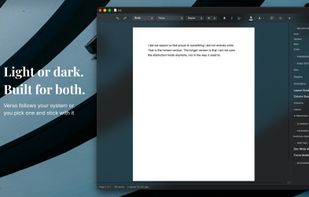
Write on your terms. Choose from Light, Off-white, Sepia, or Dark page appearances to match your environment and reduce eye strain. Sepia gives you a warm, paper-like tone for long sessions. Dark lets you write comfortably at night. Auto follows your macOS setting. Press Cmd+Shift+L to cycle through them.
Focus Mode takes this further. Everything disappears: the toolbar, the sidebar, the inspector. The window reshapes itself around your page and the text you are not actively writing dims to a whisper. Only the sentence you are working on stays fully visible. Your chosen page appearance carries through for a fully immersive experience. Press Esc when you are ready to come back.
It does what you need. Bold, italic, headings, tables, images, footnotes, bulleted lists, numbered lists, page breaks, section breaks, columns, headers, footers, find and replace, word count, comments, tracked changes, table of contents. It's all there.
Markdown import and export. Open a .md file and it renders as rich text. Edit visually, then save back to Markdown with structure preserved. Syntax-highlighted code blocks included.
Tables are a joy to use. Insert them, style them with presets, add and remove rows and columns, toggle borders. No fighting with cells that won't behave.
Images just work. Drop one in, click to select it, drag the corner to resize. Done.
Citations and references. Import a BibTeX library, browse and search your references, and insert citations with a single click. Verso generates a formatted bibliography at the end of your document in APA, MLA, Chicago, Harvard, IEEE, or Vancouver style.







 Paul added Verso Writer as alternative to LibreOffice - Writer, Microsoft Word, Apache OpenOffice Writer, Pages and 47 more

 TeZe
TeZe 


No comments or reviews, maybe you want to be first?