





VeloxDB
5 likes
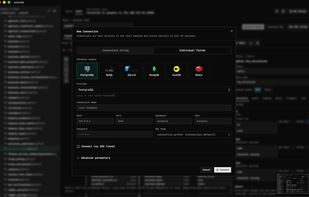
VeloxDB is a fast, memory-efficient, developer-focused desktop client for PostgreSQL. Connect directly to your databases — no cloud, no middleware, no telemetry. Built with performance and productivity at its core.

Cost / License
- Free
- Open Source (MIT)
Application type
Platforms
- Mac
- Windows
- Linux


Features


Highlights All activities
VeloxDB News & Activities
Recent activities





Developed by
veloxbaseLicensing
Open Source (MIT) and Free product.Written in
Alternatives
54 alternatives listedBadge
Get an embeddable badge for VeloxDBSupported Languages

AlternativeTo Categories
Development, Network & AdminGitHub repository
- 644 Stars
- 44 Forks
- 12 Open Issues
- Updated





Open-Source Slopware
A list of open-source software containing slop (LLM generated) code or endorses the usage of LLMs in other ways.
This list contains software that obviously accepts irresponsible coding practices or promotes LLM usage. I found these applications while searching for alternatives to previously used software that turned out to contain code generated by slop-machines.
Each of added applications have at least one link that points to the verifiable proof.
This list by no means is meant to cover all the software that contains code by not-so-intelligent tools and people using them but to serve as a reminder to myself about what I have already checked.
Why having LLM generated code (and using generative tools in general) is bad?
Ethical reasons — such as illegally retrieved training material, underpaid workers that prepare the training data.
Impact on environment — increased fossil fuel usage to supply the needed electricity power, water usage in water scarce regions. This somewhat overlaps with the above.
Social impact – noise pollution in neighbourhoods near AI data centres, air pollution from diesel- or gas-powered turbines (also overlaps with the above), resource consumption by data centres drastically increases utility prices.
Impact on brain and thinking, reasoning — by offloading thinking and decision making to machines people are shooting in their foot (more like in their head) as this leads to brain rot. Less intelligent people are easier to control.
Even legal issues (especially in open-source software as it cannot be guaranteed that the “generated” code is not really just re-used, thus unknowingly violating the source license).
Inevitable enshittification — every software product from big technology eventually gets enshittified to maximize revenue. For users this could mean hidden or plain ads, biased opinions/information, privacy violations, increased prices for LLM based tools.
Burden on open-source software maintenance — LLM tools provide easier access to code contributions which often shifts the responsibility of checking code quality from developers to maintainers and reviewers. Digging through walls of merge request text and code generated by slop-machines takes valuable time that otherwise could be spent more meaningfully by fixing bugs and working on new features.
I will try to add links that back up the claims above, but it may take a while.
Of course, I see how and where generative tools could be helpful and sometimes I feel tempted to find an acceptable way to use them, but for now the direct and indirect costs far too much outweigh gains.
This list has its positive counterpart: Slop-Free (Supposedly) Open-Source Software (not quite complete yet).
Also take a look at and give thumbs up to AI Slopfree Software Catalog which contains software dedicated against usage of LLMs.
Also, here is a list of some labels that can be added / voted for so they would eventually appear on application pages:
Slopware;
Slop (LLM) Code;
Slop-Source Software;
Open-Source Slopware;
Contains Slop (LLM Generated) Code.
Comments and Reviews
This is one of the best Db Client I’ve used, when compared to Dbeaver and Pgadmin.