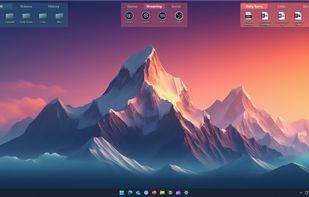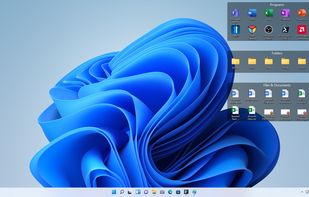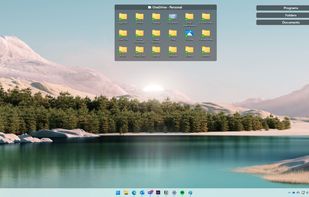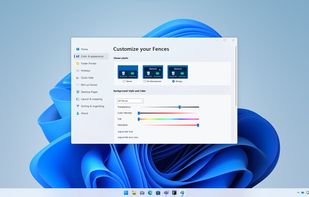
Desktop organization tool for Windows 10/11, automating file and app categorization in customizable areas. Includes snapshot saving, quick-access keys, Chameleon feature, and enterprise deployment tools.


VeBest Icon Groups is described as 'Powerful, but easy to use and rich in animation utility. VeBest Icon Groups is a software, intended for just creative and occupied people who extremely value every spare minute and who don't want to search for the icon to launch the desired software' and is a desktop customization tool in the os & utilities category. There are eight alternatives to VeBest Icon Groups for Windows, Linux, Steam and Mac. The best VeBest Icon Groups alternative is Fences. It's not free, so if you're looking for a free alternative, you could try Portals: Desktop Organization or Winstep Nexus. Other great apps like VeBest Icon Groups are Nimi Places, iCollections, ToolBox and Mouse Extender.
Desktop organization tool for Windows 10/11, automating file and app categorization in customizable areas. Includes snapshot saving, quick-access keys, Chameleon feature, and enterprise deployment tools.


Create containers (aka Portals) on your desktop which show the contents of a specified folder. Divide your desktop into folders then use Portals to display the contents of the folders in an organized fashion - you can even hide the folders away somewhere else.


Enjoy a free, simple docking solution for Windows with Winstep Nexus. Create docks, sub-docks, organize apps in groups, and enjoy fun interactions with animations. Nexus Ultimate offers Shelves, Tabbed Docks, and Grid Stacks for better organization and access.


Organizes desktop into customizable containers showing folder contents as icons/thumbnails on a scrollable surface. Has lots of management features: e.g. labelling; sort by category; time & location based settings. Thumbnails are displayed for supported Open Documents, PSD images & PDFs.


Create custom containers on Mac desktop, group icons, files, folders, and applications, display photo slideshows or static images, customize appearance, snap to grid, integrate with Finder, choose icon sizes, and enjoy an uncluttered, personalized workspace.


ToolBox is an application launcher for Windows operating systems with many amazing features. Easy to install, you can get going in minutes. Its drag & drop interface creates shortcuts to almost anything; applications, drives, folders, even simple files.


MouseExtender is a cozy utility with shortcuts to programs, folders and system functions (Control panel, Restart and Shutdown).


Folderview Screenlet is a Linux alternative to Fences (which is for Windows).