VDAM is an AI-powered digital asset management (DAM) tool that layers over existing Google Drive or Dropbox storage instead of requiring uploads to a separate platform. It watches a connected folder and, the moment a supported file appears, queues it for AI analysis.
For each asset it generates a one-sentence caption, searchable keywords, a dominant color palette with hex values, scene and mood tags, composition data, and and brand safety. Faces are detected and grouped within the library only, never linked to any external identity.
Beyond automatic metadata, teams can define their own schema — fields like campaign, property type, usage rights, or release status — and VDAM infers values for each new asset with confidence scores. A self-maintaining tag tree keeps a single canonical taxonomy that grows new branches automatically as the library expands.
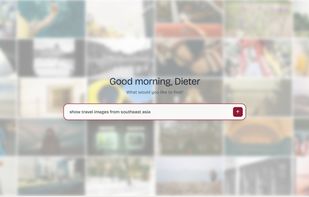
Search works in natural language ("warm-toned interiors at golden hour, no people, vertical orientation") across both AI-inferred content and custom metadata, with filters, facets, and reverse-image search. Assets can be shared through fully brand-customizable public pages — logo, palette, typography, cover, layout — with view/download permissions and link expiry, requiring no account from recipients.
Sync is read-only and incremental: VDAM never writes to the connected cloud storage and only processes changes. Originals stay in place. Supported files include images (JPEG, PNG, WebP, GIF, TIFF, HEIC, AVIF), video (MP4, MOV, AVI, MKV), audio (MP3, WAV, AAC, FLAC, M4A), PDFs, Adobe creative files (PSD, AI, EPS), camera RAW, and Microsoft Office documents. Video and audio are capped at 5 minutes each.
Pricing is per workspace rather than per seat, and uploaded content is never used to train AI models.
Features:
AI image recognition / auto-tagging
Automatic metadata extraction
Natural language search
Reverse image search
Facial recognition / people grouping
Color palette extraction
Custom metadata schemas
Auto-organizing taxonomy / tag tree
Google Drive integration
Dropbox integration
Video & audio support
PDF & Office document support
Camera RAW support
Brandable share pages / public links
No-account file sharing
Read-only / non-destructive sync




 VDAM.io


No comments or reviews, maybe you want to be first?