
VaultDrop icon
VaultDrop icon

VaultDrop

 Like

Free, open-source offline AirDrop for Android, Windows and any browser: send files over Wi-Fi or a phone hotspot with no internet.
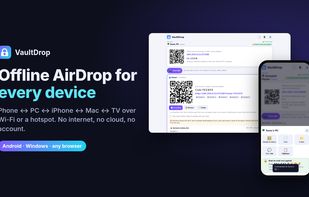
VaultDrop screenshot 1

Cost / License

  • Free
  • Open Source (MIT)

Since

  • New

Platforms

  • Android
  • Windows
  • Android TV
0likes
0articles
Save

Features

Features

Highlights All activities

VaultDrop News & Activities

Recent activities

VaultDrop information

AlternativeTo Categories

File Sharing, Security & Privacy
VaultDrop was added to AlternativeTo by SonujeetDhanki on and this page was last updated .

No comments or reviews, maybe you want to be first?

Official Links

What is VaultDrop?

VaultDrop sends photos, videos, folders and text between Android, Windows, iPhone, Mac, Linux and Android TV over your Wi-Fi or over a phone's hotspot, with no internet, no cloud and no account. Files go straight from device to device.

Every transfer is end-to-end encrypted (P-256 key exchange + AES-256-GCM), and both screens show the same short code so you know nobody is in the middle.

Features:

  • Works fully offline over Wi-Fi or a phone hotspot (mobile data can stay off)
  • iPhone, Mac and Linux need nothing installed: they use the browser
  • Scan QR to connect to a PC, TV or phone, or to join a hotspot's Wi-Fi
  • Rooms: one drop goes to everyone in the room, with a live list of who got it
  • Clipboard sharing between PC and phone (text, links, OTP codes)
  • Choose any save folder, including an SD card
  • Android TV and Google TV support: send photos and videos to the TV and play them there
  • Hundreds of files or whole folders at once, resumes after a dropped connection, live speed
  • Windows full app with right-click "Send with VaultDrop", plus a 7 MB portable Lite version

Free and open source under the MIT license, made by an indie developer in India.