





Unfold — Quick Look
1 like
Preview folders, archives, source code with syntax highlighting, Markdown, Mermaid diagrams, ebooks, and many more file types directly in macOS Quick Look.
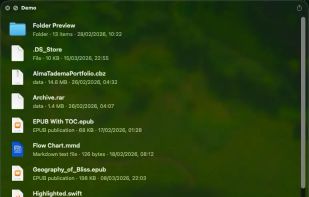

Cost / License
- Pay once
- Proprietary
Platforms
- Mac
- Homebrew


Features

Highlights All activities
Unfold — Quick Look News & Activities
Recent activities
- Jacob updated Unfold — Quick Look
- Jacob liked Unfold — Quick Look
 Jacob added Unfold — Quick Look as alternative to EPS Quick Look
 whimwild added Unfold — Quick Look as alternative to FolderVitrine
 Paul added Unfold — Quick Look as alternative to FolderPlus
 a2ra-ms added Unfold — Quick Look as alternative to FinderPeek
- Paul added Built-in File viewer as a feature to Unfold — Quick Look
 Paul added Unfold — Quick Look as alternative to Folder Quick Look, Kiview, Source Code Preview, Folder Preview and 13 more
- Paul added Unfold — Quick Look


Developed by
 flew
flew Licensing
Proprietary and Commercial product.Pricing
One time purchase (perpetual license) that costs $10.Alternatives
21 alternatives listedBadge
Get an embeddable badge for Unfold — Quick LookSupported Languages


No comments or reviews, maybe you want to be first?