Stop opening your heavy IDE or code editor just to inspect a single file. FinderPeek supercharges your Mac’s native QuickLook, giving you rich, interactive, and beautiful previews directly from the Finder.
Built for developers, data analysts, and power users, FinderPeek transforms flat, unreadable data into neatly formatted, interactive previews. Just select a file, press the Spacebar, and get exactly what you need in milliseconds.
KEY FEATURES
• Interactive JSON Viewer
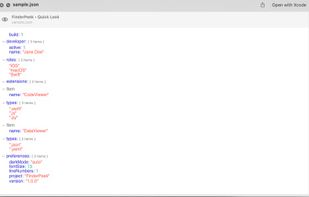
No more scrolling through walls of unformatted text. Our QuickLook plugin renders JSON files as beautiful, interactive trees. Expand, collapse, and navigate through nested objects and arrays directly inside the QuickLook window.
• Select and copy
The Viewer supports selection and copying of text/elements in all views.
• Broad File Format Support
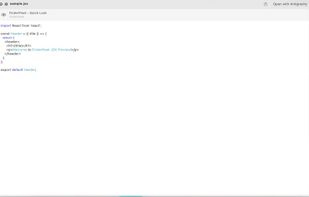
We don't just stop at JSON. FinderPeek provides rich, syntax-highlighted previews for a wide variety of developer and data file types
• Lightning Fast & Native
Built specifically for macOS, FinderPeek integrates seamlessly with Finder. It’s lightweight, fast, and feels like a native part of your Mac.
Supported file formats:
(xml, yaml, json, plist, js, go, rs, scala, sh, cpp, cs, tsv, csv, env, swift, kt, docker, md, mdx, log, conf, data, atom, ssv, tab, and more...)
The app has 5 bundles for different types of handles, you can selectively enable/disable each one of them.
- Code Viewer
- Config Viewer
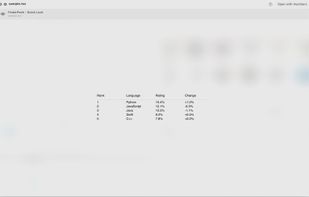
- Table Viewer
- Data Viewer
- Doc Viewer
• Privacy First
Your files never leave your computer. All parsing, formatting, and rendering happen 100% locally on your machine.
HOW IT WORKS
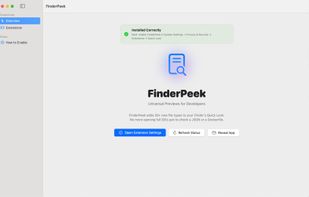
- Install FinderPeek and open it once to open the quicklook plugins and enable them.
- Select any supported file in Finder.
- Hit the Spacebar.
- Enjoy beautiful, interactive previews!
Streamline your workflow and save hours of unnecessary clicks. Download FinderPeek today and Peek into your files instantly.










 a2ra-ms added FinderPeek as alternative to Unfold — Quick Look, Folder Preview Pro and Peek - Quick Look Extension

No comments or reviews, maybe you want to be first?