





Tusk Backup
2 likes
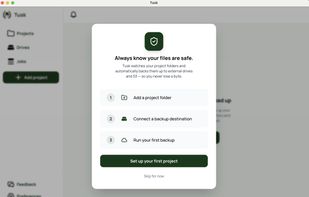
A Mac backup app for video creators and photographers that tracks where every project file is backed up across drives and cloud, even when drives are unplugged.

Cost / License
- Pay once
- Proprietary
 EU
EUPlatforms
- Mac


Features
Tusk Backup News & Activities
Highlights All activities
Recent activities
 Mike-Cerisano added Tusk Backup as alternative to Bitmatch
 thebunker added Tusk Backup as alternative to HashCopy
 Tusk_Niklas added Tusk Backup as alternative to Hedge and ChronoSync
- Tusk_Niklas A comment was removed from Tusk Backup
- e737271 A comment was removed from Tusk Backup
- e737271 liked Tusk Backup
- Tusk_Niklas liked Tusk Backup
 Tusk_Niklas added Tusk Backup as alternative to FreeFileSync and Carbon Copy Cloner
- Tusk_Niklas added Tusk Backup


Tusk Backup information
Developed by
 Niklas Fischer
 Licensing
Proprietary and Commercial product.Pricing
One time purchase (perpetual license) that costs from $79.Alternatives
6 alternatives listedBadge
Get an embeddable badge for Tusk BackupSupported Languages

No comments or reviews, maybe you want to be first?