Trilo icon
Trilo icon

Trilo

Platform provides AI-powered chat, task management with Kanban, document editing, spreadsheets, calendar sync, video conferencing, booking links, social media scheduling, infinite whiteboards, and a knowledge graph to map all workspace activity and connections.
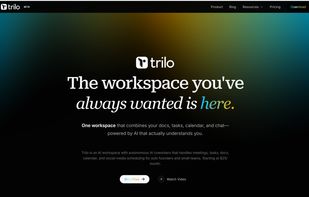
Trilo screenshot 1

Cost / License

  • Subscription
  • Proprietary

Platforms

  • Mac
  • Online
  • iPhone
0likes
0comments
0articles

Features

Properties

  1.  Support for Themes

Features

  1. Google Calendar icon  Sync with Google Calendar
  2.  Task Time Tracking
  3.  Reminders
  4.  VoiP Calls
  5.  Support for MarkDown
  6.  End-to-End Encryption
  7.  No Coding Required
  8.  Ad-free
  9.  Calendar View
  10.  Full-Text Search
  11.  Real time collaboration
  12.  Kanban Board
  13.  Pomodoro Timer
  14.  Support for @mentions
  15.  Extensible by Plugins/Extensions
  16.  Calendar Integration
  17.  Dark Mode
  18.  Cloud Sync
  19.  Scheduling
  20.  Video Conferencing
  21.  Team Collaboration
  22.  Workflow Automation
  23.  Knowledge Management

Trilo News & Activities

Highlights All activities

Recent activities

Trilo information

  • Developed by

    US flagTrilo
  • Licensing

    Proprietary and Commercial product.
  • Pricing

    Subscription ranging between $25 and $250 per month.
  • Alternatives

    51 alternatives listed
  • Supported Languages

    • English
    • French
    • Spanish
    • German
Trilo was added to AlternativeTo by trilochat on and this page was last updated .
No comments or reviews, maybe you want to be first?

What is Trilo?

Trilo is an AI-powered workspace platform designed for solo founders, freelancers, and small teams. It offers real-time team chat, task management with Kanban boards, document handling, calendar and booking links, video calls, whiteboards, social media scheduling, and AI coworkers. These AI agents participate in discussions, generate tasks, draft documents, manage projects, and maintain a 24/7 workflow.

Key features of Trilo include:

  • Autonomous AI Coworkers: AI teammates that participate in discussions, create tasks, conduct research, and work continuously.

  • Natural Language Workflows: Automated workflows that connect with over 100 services like Gmail, Google Calendar, LinkedIn, Stripe, GitHub, Twitter/X, Shopify.

  • Real-Time Chat: Threaded messaging, group discussions with AI coworkers, and task conversion from discussions.

  • Task Management: Project management with Kanban boards, task assignments, due dates, dependencies, time tracking, and subtasks.

  • Documents & Knowledge Base: Page editor with AI writing assistance, templates, public page sharing, and spreadsheets.

  • Calendar & Booking Links: Calendar with Google Calendar sync, booking pages for clients, and availability management.

  • Social Media Scheduling: Post scheduling to LinkedIn, Instagram, and Twitter/X with a content calendar and AI-assisted copywriting.

  • Video Calls & Meeting Transcription: Video conferencing with AI transcription, summaries, and action item extraction.

  • Knowledge Graph: Maps every person, project, decision, and commitment across your workspace.

  • MCP (Model Context Protocol): Allows external AI tools to interact with your tasks, messages, docs, and knowledge graph.

  • Whiteboards: An infinite canvas for visual brainstorming with real-time collaboration.

Official Links

Page may contain affiliate links. Affiliate links never affect ranking.
