
TrailMark icon
TrailMark icon

TrailMark

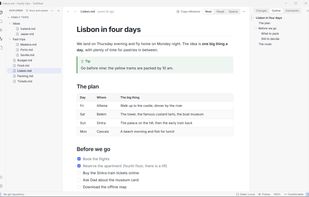
TrailMark opens any .md file as a clean page: headings, tables, task lists, code, diagrams and math, in a light or dark theme. Edit it visually or in the Markdown source; only the parts you change are saved, so the rest of the file stays exactly as it was.
TrailMark screenshot 1

Cost / License

  • Free
  • Open Source (MIT)

Platforms

  • Linux
  • Windows
  • Mac
0likes
0articles
Save

Features

Properties

Features

Highlights All activities

TrailMark News & Activities

Recent activities

TrailMark information

AlternativeTo Categories

Office & Productivity, Education & Reference, AI Tools & Services

GitHub repository

  •  3 Stars
  •  0 Forks
  •  9 Open Issues
  •   Updated  
View on GitHub

Popular alternatives

View all
TrailMark was added to AlternativeTo by Edelmar-Schneider on and this page was last updated .

No comments or reviews, maybe you want to be first?

What is TrailMark?

TrailMark opens any .md file as a clean page: headings, tables, task lists, code, diagrams and math, in a light or dark theme. Edit it visually or in the Markdown source; only the parts you change are saved, so the rest of the file stays exactly as it was.

Notes save themselves: press Ctrl+Shift+N and type, with no name to choose and no folder to pick. Pin the notes you keep, get back earlier versions, and copy a drafted prompt to your AI as clean Markdown.

Open a project folder and TrailMark becomes a reader's IDE for the documents your AI agents write: changed passages glow as the agent writes, unread dots show what changed since you last read it, Git change markers and a "Since last visit" view keep track after the agent commits, and one search covers every file and section. Comment on a passage, and an agent connected through the optional local MCP server reads your comments and marks them done. It works with any AI tool, or with none.

No account and no tracking; your files stay on your computer. Available in English, Portuguese, Spanish, German and Simplified Chinese.