Titanium Backup Alternatives

Titanium Backup is described as 'Extremely powerful backup tool for Android phones. Backup/restore all apps, protected apps, app settings, market links and much more !' and is a very popular app in the backup & sync category. There are more than 10 alternatives to Titanium Backup for a variety of platforms, including Android, F-Droid, Android Tablet, iPhone and Windows apps. The best Titanium Backup alternative is Neo Backup, which is both free and Open Source. Other great apps like Titanium Backup are App Manager, MiXplorer, oandbackup and DataBackup.

Copy a direct link to this comment to your clipboard
Titanium Backup alternatives page was last updated

Alternatives list

  1. Neo Backup icon
     42 likes

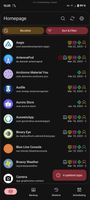
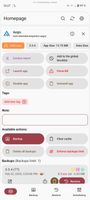
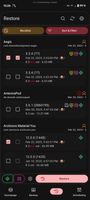
    Neo Backup (formerly OAndBackupX) is a fork of the famous OAndBackup with the aim to bring OAndBackup to 202X and part of Neo Applications suite. For now the app is already fully rewritten, coming up would be making it robust and adding some lengthily planned features which...

    Cost / License

    Platforms

    • Android
    • F-Droid
     
    |
    1
    Neo Backup vs Titanium Backup Comments
    lukorn
    Positive
    2

    Titanium Backup was a great tool which served rooted Android users well for a long time. However, with newer Android versions it has been lagging a bit both in compatibility and in UX. OAndBackupX is an open source alternative which is, while not nearly as feature-packed yet, actively developed and works well. It's a good alternative and I can recommend it.

    • Neo Backup is Free and Open SourceTitanium Backup is Freemium and Proprietary
  2. App Manager icon
     36 likes

    It lists activities, broadcast receivers, services, providers, permissions, signatures, shared libraries, etc. of any app

    Cost / License

    • Free
    • Open Source

    Application type

    Platforms

    • Android
    • Android Tablet
    • F-Droid
     
  3. MiXplorer icon
     67 likes

    MiXplorer (Mix of Explorers) is a fast, smooth, beautiful, reliable and fully-featured file manager with a simple and intuitive user interface.

    Cost / License

    • Freemium
    • Proprietary

    Application type

    Platforms

    • Android
     
  4. oandbackup icon
     21 likes

    Make backups of selected apps on your device and restore from those backups. oandbackup enables you to save app data to a user-accessible location. Both backup / restore of single apps and of multiple apps are supported.

    Cost / License

    • Free
    • Open Source

    Alerts

    • Discontinued

    Platforms

    • Android
    • F-Droid
     
    |
    1
    Discontinued

    The last update is from November 2019.

    oandbackup vs Titanium Backup Comments
    ProfessionalGeek
    1

    Oandbackup has not been updated in 3 years.

    • oandbackup is Free and Open SourceTitanium Backup is Freemium and Proprietary
  5. DataBackup icon
     8 likes

    DataBackup is a fast & easy way to back up and restore the data of your apps. Root access is needed.

    Cost / License

    Platforms

    • Android
    • F-Droid
     
  6. Seedvault icon
     15 likes

    SeedVault is only pre-built into Custom Android ROMS (CalyxOS & LineageOS 17.1+), uses the same internal APIs as adb backup and the Android to Android device transfer systems, therefore no root access is used.

    Cost / License

    Platforms

    • Android
     
  7. Swift Backup icon
     12 likes

    Swift Backup can backup your important data in minutes! Its quick, efficient and boasts an elegant design for a refreshing backup experience.

    Cost / License

    • Freemium
    • Proprietary

    Platforms

    • Android
     
    |
    1
    Swift Backup vs Titanium Backup Comments
    Wossgebber
    Positive
    0

    It has a much more up-to-date UI. It does not give problems with root. It has cloud integration, tags and more.

    • Swift Backup is Freemium and ProprietaryTitanium Backup is also Freemium and Proprietary
  8. Helium Backup icon
     9 likes

    Helium is the missing app sync and backup solution for Android. Helium does NOT require root. All Android users can use Helium to backup and sync Android applications. Helium lets you backup your apps and data to your SD card or cloud storage. With Helium, you can sync app data f.

    Cost / License

    • Paid
    • Proprietary

    Alerts

    • Discontinued

    Platforms

    • Mac
    • Windows
    • Linux
    • Android
    • Android Tablet
    • Google Chrome
     
    |
    1
    Discontinued

    It was last updated in 2013, and according to the comments, it seems it doesn't work really well anymore.

    Helium Backup vs Titanium Backup Comments
    Mohamed Ahmed
    Positive
    2

    The only option that will let you back up application's data without ROOT.

    • Helium Backup is Paid and ProprietaryTitanium Backup is Freemium and Proprietary
  9. G Cloud Backup is a mobile cloud backup app for Android and iOS that automatically backs up photos, videos, contacts, messages, call logs, and documents. It supports cross-platform restore between Android and iOS, web access, and instant search of backed-up files.

    Cost / License

    • Freemium
    • Proprietary

    Platforms

    • Android
    • iPhone
    • Android Tablet
    • iPad
     
  10. Backup your important data like Contacts, SMS, Call log and Calendar on your Android phone.

    Cost / License

    • Free
    • Proprietary

    Platforms

    • Android
     
  11. Blocker is a component controller for Android applications that currently supports using PackageManager and Intent Firewall to manage the state of components. It can be seamlessly switched between these controllers, and for application rules, you can export and import them.

    Cost / License

    Platforms

    • Android
    • Android Tablet
    • F-Droid
     
  12. Degoo icon
     26 likes

    Degoo is a backup app for Windows, Mac OS X and Android that lets you back-up your data in the cloud. You also get 20 GB of free secure cloud backup storage so you'll never lose a file again.

    Cost / License

    • Freemium
    • Proprietary

    Platforms

    • Mac
    • Windows
    • Android
    • iPhone
    • Android Tablet
    • iPad
     
    |
    2
    Degoo vs Titanium Backup Comments
    Guest
    Negative
    4

    Degoo doesn't backup your data or apps or anything. It's simply cloud storage, not a backup solution. Of course you can store your backups on their cloud storage, but they do nothing to help facilitate the creation of the backup or anything...

    Guest
    Negative
    0

    DONT BACK UP FILES ITS A CLOUD STORAGE ONLY

    • Degoo is Freemium and ProprietaryTitanium Backup is also Freemium and Proprietary
12 of 23 Titanium Backup alternatives