G Cloud Backup
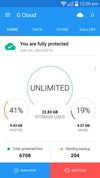
G Cloud Backup is a mobile cloud backup app for Android and iOS that automatically backs up photos, videos, contacts, messages, call logs, and documents. It supports cross-platform restore between Android and iOS, web access, and instant search of backed-up files.
Cost / License
- Freemium (Subscription)
- Proprietary
Platforms
- Android
- iPhone
- Android Tablet
- iPad
Features
Properties
- Privacy focused
- Lightweight
- Support for Themes
Features
- Selective Synchronization
- Shared Folders
- Automatic Backup
- Dark Mode
- Cloud Sync
- Encrypted Backup
- AES-256 Encryption
- Real time collaboration
- Team Collaboration
G Cloud Backup News & Activities
Recent activities
- RobinHamilton added G Cloud Backup as alternative to Immich
- RobinHamilton updated G Cloud Backup
G Cloud Backup information
Featured in Lists
A list with 14 apps by colinthecatalyst without a description.

What is G Cloud Backup?
G Cloud Backup is a mobile cloud backup solution for Android and iOS, developed by Genie9. Trusted by over 5 million users across 150+ countries, it automatically backs up photos, videos, contacts, messages, call logs, documents, and music to the cloud — all in one place.
-
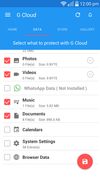
What G Cloud Backs Up G Cloud protects your entire digital life, including photos, videos, contacts, call logs, music, messages, and documents. Backups run automatically in the background, so your data is always protected without any manual effort.
-
Cross-Platform Restore One of G Cloud's standout features is its true cross-platform restore capability. You can move your entire digital life between iOS and Android at any point, simply by signing in and restoring your backup. This makes it an ideal tool for anyone switching devices, regardless of platform.
-
Instant Archive Search G Cloud's archive search lets you find data backed up years ago — in seconds. This retrieval technology sets G Cloud apart from many competitors, allowing users to locate specific data from their entire backup history with no delay.
-
Timeline & Photo Management Users can scroll through their backup timeline and go back years in just a few seconds. The app also includes the ability to edit photos instantly directly within the app, without needing to download the full archive.
-
Full Web Access G Cloud provides full web access from any computer, allowing users to view and download photos and videos, search through messages, contacts, and call logs, manage account settings and storage — all from any device with a web browser, with no app installation required.
-
Multi-Device & Family Plans G Cloud supports multi-device backup under a single account, covering both Android and iOS phones and tablets. A Family Plan allows up to 5 users to share a single account, making it a practical solution for households.
-
Security All files are stored on Amazon AWS Cloud with military-grade 256-AES encryption, both at rest and in transit.
-
Backup Scheduling
G Cloud offers two backup modes: Smart Backup, which automatically backs up data when conditions are optimal for the device, and Scheduled Backup, which allows users to set a specific time for backups to run automatically.


Comments and Reviews
G Cloud Backup is great app. It is highly recommended. While registering for the first time use the code 9S2H6Y for additional 200MB disk space.
G Cloud Backup is a backup app for smartphone. It back up contacts,messages,photo,music etc.