Apps tagged with 'Android Backup'

All apps in Apps tagged with 'Android Backup' category. Use the filters below to narrow down your search. 
Copy a direct link to this comment to your clipboard
  1. Neo Backup icon
     42 likes

    Neo Backup (formerly OAndBackupX) is a fork of the famous OAndBackup with the aim to bring OAndBackup to 202X and part of Neo Applications suite. For now the app is already fully rewritten, coming up would be making it robust and adding some lengthily planned features which...

    Cost / License

    Since

    • Since 2020 (updated Nov 2026)

    GitHub

    • GitHub stars: 3.9k

    Platforms

    • Android
    • F-Droid
    • OpenAPK
    • Global
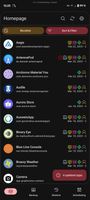
    Neo Backup screenshot 1
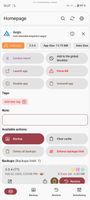
    Neo Backup screenshot 2
    +1
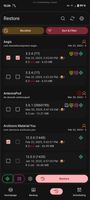
    Neo Backup screenshot 3
    10 alternatives
  2. Titanium Backup icon
     113 likes

    Extremely powerful backup tool for Android phones. Backup/restore all apps, protected apps, app settings, market links and much more !

    Cost / License

    • Freemium (Pay once)
    • Proprietary

    Since

    • Since 2011

    Alerts

    • Discontinued

    Platforms

    • Android
    • Android Tablet
    • FR flagFrance
    • European Union flagEU
    Titanium Backup screenshot 1
    Titanium Backup screenshot 2
    +3
    Titanium Backup screenshot 3
    24 alternatives
  3. Seedvault icon
     15 likes

    SeedVault is only pre-built into Custom Android ROMS (CalyxOS & LineageOS 17.1+), uses the same internal APIs as adb backup and the Android to Android device transfer systems, therefore no root access is used.

    Cost / License

    Since

    • Since 2021 (updated Nov 2026)

    GitHub

    • GitHub stars: 1.9k

    Platforms

    • Android
    • Global
    Free LineageOS built in App. Which is powered by Seedvault.
    Select backup provider
    +2
    Backup
    13 alternatives
  4. Helium Backup icon
     9 likes

    Helium is the missing app sync and backup solution for Android. Helium does NOT require root. All Android users can use Helium to backup and sync Android applications. Helium lets you backup your apps and data to your SD card or cloud storage. With Helium, you can sync app data f.

    Cost / License

    • Pay once
    • Proprietary

    Since

    • Since 2013

    Alerts

    • Discontinued

    Platforms

    • Windows
    • Mac
    • Linux
    • Android
    • Android Tablet
    • Google Chrome
    • US flagUnited States
    Helium Backup screenshot 1
    Helium Backup screenshot 2
    +3
    Helium Backup screenshot 3
    20 alternatives
  5. Swift Backup icon
     12 likes

    Swift Backup backs up Android apps, messages, call logs, Wi-Fi networks, wallpapers and folders. Backups go to the phone, an SD card or a USB drive, to 10 cloud drives such as Google Drive, OneDrive and Dropbox, or to the user's own server through WebDAV, SMB, SFTP, FTP or...

    Cost / License

    • Freemium (Pay once or Subscription)
    • Proprietary

    Since

    • Since 2017

    Platforms

    • Android
    • Global
    Home screen with storage, root status and backup types
    App list with last backup dates
    +5
    Backup options with APKs, data, device and cloud
    9 alternatives
  6. MoboPlay icon
     30 likes

    MoboPlay lets you manage Android/iOS devices from computer or the files manager. This powerful multi-files manager is going to make it much easier than ever to manage your devices. You can now backup, restore, manage your files, apps, ringtone, wallpaper, music, images and even...

    Cost / License

    • Free
    • Proprietary

    Application type

    Since

    • Since 2016

    Platforms

    • Windows
    • Android
    • iPhone
    • iPad
    • Android Tablet
    • CN flagChina
    MoboPlay screenshot 1
    MoboPlay screenshot 2
    MoboPlay screenshot 3
    +8
    MoboPlay screenshot 4
    4 alternatives
  7. SyncDroid icon
     10 likes

    SyncDroid Android Manager has both Android app, as well as Windows PC client. With Android app, you can simply backup and restore Android to and from SD card or Dropbox. And with the help of the desktop client, you can backup data to your PC.

    Cost / License

    • Free
    • Proprietary

    Since

    • Since 2015

    Platforms

    • Windows
    • Android
    • CN flagChina
    SyncDroid screenshot 1
    SyncDroid screenshot 2
    +1
    SyncDroid screenshot 3
    15 alternatives
  8. G Cloud Backup is a mobile cloud backup app for Android and iOS that automatically backs up photos, videos, contacts, messages, call logs, and documents. It supports cross-platform restore between Android and iOS, web access, and instant search of backed-up files.

    Cost / License

    • Freemium (Subscription)
    • Proprietary

    Since

    • Since 2012 (updated Apr 2026)

    Platforms

    • Android
    • iPhone
    • iPad
    • Android Tablet
    • GB flagUnited Kingdom
    G Cloud Backup screenshot 1
    G Cloud Backup screenshot 2
    +4
    G Cloud Backup screenshot 3
    11 alternatives
  9. Coolmuster Android Backup Manager can help us take Android data backup & restore on computer with one-click. Data like contacts, text messages, apps, photos, videos, music, call logs, documents are supported.

    Cost / License

    • Pay once or Subscription
    • Proprietary

    Application type

    Since

    • Since 2020

    Platforms

    • Windows
    • CN flagChina
    Coolmuster Android Backup Manager screenshot 1
    6 alternatives
  10. Android Transfer for PC connects your mobile phone to your computer. This utility is quite useful for those who want to keep ther information organized, its use is pretty simple, and the only thing you will need is a USB connection on your PC.

    Cost / License

    • Free
    • Proprietary

    Since

    • Since 2016

    Platforms

    • Windows
    Android Transfer for PC screenshot 1
    Android Transfer for PC screenshot 2
    Android Transfer for PC screenshot 3
    +2
    Android Transfer for PC screenshot 4
    14 alternatives