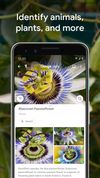
Google Lens lets you search what you see, get things done faster, and understand the world around you—using just your camera or a photo.
Cost / License
- Free
- Proprietary
Application types
Platforms
- Online
- Android
- iPhone
- Android Tablet
- iPad



TinEye is not available for Android but there are some alternatives with similar functionality. The best Android alternative is Google Lens, which is free. If that doesn't suit you, our users have ranked more than 25 alternatives to TinEye and ten of them are available for Android so hopefully you can find a suitable replacement. Other interesting Android alternatives to TinEye are TIDY, THINK FR33 Reverse Image Search, PictPicks and Max Impact Search.
Google Lens lets you search what you see, get things done faster, and understand the world around you—using just your camera or a photo.


Offline semantic Text-to-Image and Image-to-Image search on your Android phone! Powered by quantized state-of-the-art large-scale vision-language pretrained CLIP model and ONNX Runtime inference engine.


Reverse Image Search lets you search by images using Reverse Search engine instead of keywords.


PictPicks is free application to search images and photos with a simple operation.


Image Analysis Toolset is a multifunctional app to analyze pictures. Included features: object Identifier, web image detector, logo Identifier, landmark Identifier: Optical Text Recognition (OCR) colorimeter, censorship risk meter.


Search by image: lets your mobile phone search by image via google image search easily. Moreover, you can share content or image to others people around the world.


Discover the future of shopping with CHERRY, the AI assistant that finds products from a photo or screenshot. Sort by price, bookmark favorites, and track your searches. Designed for the younger generation, CHERRY is your key to a seamless shopping experience. Shop smarter with CHERRY!


Ever wanted to search for something you see on your phone screen? Circle To Search brings that power to your fingertips on any Android device. Simply draw a circle around what you're looking for, and instantly get results from your favorite search engine.


Face Search AI does the hard work for you, searching across the web for websites and links that may feature images similar to the one you upload.