





Tempo: Screen Time Blocker
Like
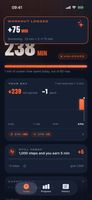
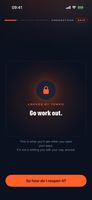
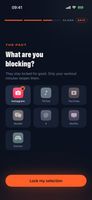
App blocker where workouts and steps are the only key: blocked apps reopen with minutes of real activity, at the exchange rate you set.


+1

Cost / License
- Freemium (Pay once or Subscription)
- Proprietary
Platforms
- iPhone
- Android
- Apple Watch

Features
Tempo: Screen Time Blocker News & Activities
Highlights All activities
Recent activities
- Florent-Michenaud thinks Screen time is a important feature of Tempo: Screen Time Blocker
- Florent-Michenaud thinks Block Distraction is a important feature of Tempo: Screen Time Blocker
- Florent-Michenaud added Tempo: Screen Time Blocker
 Florent-Michenaud added Tempo: Screen Time Blocker as alternative to Opal Focus, ClearSpace, One Sec and ScreenZen

Tempo: Screen Time Blocker information
Developed by
Florent MichenaudLicensing
Proprietary and Freemium product.Pricing
One time purchase that costs $80, and / or subscription ranging between $3 and $5 per month + free version with limited functionality.Alternatives
8 alternatives listedBadge
Get an embeddable badge for Tempo: Screen Time BlockerSupported Languages


No comments or reviews, maybe you want to be first?

