
Tasks.txt icon
Tasks.txt icon

Tasks.txt

A free native macOS app for people who run tasks in a .txt file. Plain text todo.txt format, keyboard shortcuts for everything. No cloud, no account.

Tasks.txt screenshot 1

Cost / License

  • Free
  • Proprietary

Application type

Platforms

  • Mac
0likes
0comments
0articles

Features

Properties

  1.  Lightweight
  2.  Privacy focused
  3.  Minimalistic

Features

  1.  No Tracking
  2.  Ad-free
  3.  Dark Mode
  4.  Works Offline
  5.  No registration required
  6.  Support for Keyboard Shortcuts
  7.  Todo.txt based
  8.  Built-in Note Taker

Tasks.txt News & Activities

Highlights All activities

Recent activities

Tasks.txt information

  • Developed by

    Yevhenii Mykhailichenko
  • Licensing

    Proprietary and Free product.
  • Alternatives

    44 alternatives listed
  • Supported Languages

    • English

AlternativeTo Category

Office & Productivity
Tasks.txt was added to AlternativeTo by Paul on and this page was last updated .
No comments or reviews, maybe you want to be first?

What is Tasks.txt?

You don't plan tomorrow's tasks. You decide what's next - right now. Plain text, native Mac, no cloud.

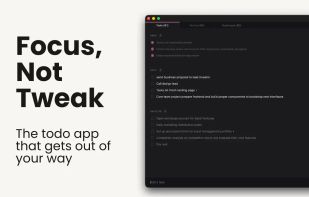
Tasks.txt is not another task manager. It's a plain text file with one rule: no planning ahead. You can't schedule tasks for tomorrow. You choose what's next, and everything else waits. Most task apps fail because they let you endlessly defer and reschedule - the illusion of productivity while the real work piles up. Tasks.txt refuses this. Three zones, nothing else:

DONE - what you finished today, on top where you can see it. Tomorrow it clears to the archive and the slate is fresh. NEXT - what you're focused on right now BACKLOG - everything else, captured but out of your way

Pick a task, move it to Next. Work it. Mark it done. That's the whole system.

YOUR FILE, YOUR DATA

Everything lives in a plain text file on your Mac. Open it in any editor. Sync it with Dropbox or iCloud. Version-control it in Git. Grep it from Terminal. No proprietary database, no vendor lock-in.

SCRATCHPAD

A plain text space for everything that isn't a task - notes, half-formed ideas, the thing you'd otherwise jot in a text editor. Stored on your Mac, always a keystroke away.

FAST BY DEFAULT

Native Swift. No Electron, no web wrapper. Opens instantly and never lags on a keystroke. macOS 13+. Free. For everyone who tried every productivity app and kept going back to a .txt file. This is that file - with the one thing it was missing.

Official Links