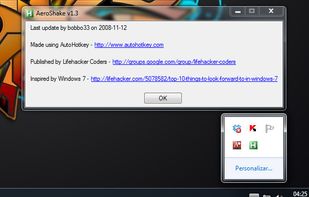
A small utility which allows you to easily organize your open windows by tiling, resizing and positioning them to make the best use of your desktop real estate. It's easy to configure and supports multiple monitors.

Taekwindow is described as 'Simple, lightweight and free Windows program that allows you to move and resize windows by dragging them with the Alt key, similar to many X11 window managers' and is a Window Manager in the os & utilities category. There are more than 50 alternatives to Taekwindow for a variety of platforms, including Mac, Windows, Linux, Android and PortableApps.com apps. The best Taekwindow alternative is Rectangle, which is both free and Open Source. Other great apps like Taekwindow are X-Mouse Button Control, BetterTouchTool, SnapZones and AquaSnap.
A small utility which allows you to easily organize your open windows by tiling, resizing and positioning them to make the best use of your desktop real estate. It's easy to configure and supports multiple monitors.

Managing the windows on your computer has become a snap! With the iSnap app, you can organize various windows to fit perfectly on your screen and access them simultaneously!


Useful window arrangement ("snap-to-edge") utility that works well with multiple screens.


Make Windows in caption bar size and recover again. Version 1.5 available. Version 1.1 download is compromised.

Small utility that maximizes user's windows over the entire virtual screen area (that is, all monitors). It registers configurable hotkeys and runs in the traybar.


Have you ever wasted time repositioning application windows so you can see two windows simultaneously? DoublePane effortlessly repositions application windows to maximize your screen space for easy side-by-side viewing.


Split Screen allows you to effortlessly resize windows to exactly half your desktop at the touch of a simple keystroke. Gone are the days of trying to resize windows to fit nicely next to each other, with Split Screen it is as easy as pressing a button.


?? Moves makes it easier than ever to position your windows juuust right.
? Just hold down your chosen modifier keys and move the mouse. No need to fiddle with 3px wide window edges or far way title bars.


Hummingbird is a macOS utility that allows easy moving and resizing of windows by holding modifier keys and dragging your mouse to move and resize windows.


This thing is simply necessary to work professionally, and quickly in Windows. Freely and easily manage windows and the browser. Comes from the word - fast work, fast typing. Do all things quickly.