


SyncTrayzor
94 likes
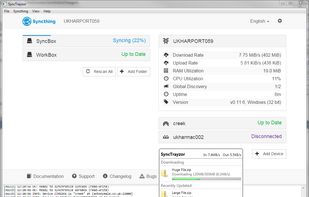
SyncTrayzor is a wrapper for Syncthing which allows Syncthing's window to be hidden in the tray area. SyncTrayzor has a built-in web browser to manage Syncthing without opening your browser. SyncTrayzor can be configured to automatically start at PC startup.

Cost / License
- Free
- Open Source (MIT)
Application type
Since
- Since 2015
Releases
- 2 releases last year2 last year
GitHub
- GitHub stars: 2.2k

Features
Highlights All activities
SyncTrayzor News & Activities
Recent News
No news, maybe you know any news worth sharing?
Share a News Tip
Recent activities
- monfsa liked SyncTrayzor
- terribleseagull liked SyncTrayzor
 Paul added SyncTrayzor as alternative to Iris Drive
 Alexander Menzel added SyncTrayzor as alternative to Syncative
- Andreas Express liked SyncTrayzor
 Paul added SyncTrayzor as alternative to DeltaSync
- Owengraven liked SyncTrayzor
- kamoltuk2001 liked SyncTrayzor





Data hoarding/organizing/storing/backing up
Software I use to collect, organize, sort, de-duplicate, store, check data, and more (for Windows). Most of these have multiple uses, but I ordered them into categories in ways I use them most for.
Last updates:
2026/11/17 - Added ShareX - to the file handling tools
2026/11/11 - Added VirusTotal and Microsoft Defender, for antimalware solutions.


basic tools for windows
A list with 39 apps by 0xfab1 without a description.



Software
A list with 49 apps by mercury7 without a description.
Official Links
Install from the command line
winget install -e --id GermanCoding.SyncTrayzor
Developed by
UnknownLicensing
Open Source (MIT) and Free product.Written in
Rating
Average rating of 4.8Alternatives
45 alternatives listedBadge
Get an embeddable badge for SyncTrayzorSupported Languages

AlternativeTo Categories
Backup & Sync, File SharingGitHub repository
- 2,244 Stars
- 67 Forks
- 59 Open Issues
- Updated


Comments and Reviews
Reliable, fast and easy to use.
Great GUI for Syncthing, but hasn't been Updated since 08.2021
It's maintained now: https://github.com/GermanCoding/SyncTrayzor
It is the best free way to synchronize files for computers in local network. It works peer-to-peer, like torrents.
Synctrazor is a tool that make 'Syncthing" run smoothly on Windows computers. Syncthing is the best open source synchronization tool. It's Dropbox without central cloudstorage. Syncthing works on different platforms and has a limited webinterface and the way it handle things is Linux-ish. So for the avarage user. syncthing is a bit hard to maintain and there is where you need "Synctrazor"
Synctrazor is the start and never look again interface for Syncthing. It handles the update, makes it auto startup en just warn you when there is an issue and shows how to solve it.
When you on Windows and want the best synchronization tool, you must download Syntrazor (it automatically download the latest Syncthing for you )