





SupaDupa
Like
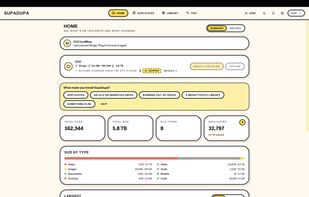
SupaDupa scans a folder or a plugged-in drive and shows you what’s on it: how much space each folder takes, which files are exact copies, and which photos look alike. You review everything before a file moves.

Cost / License
- Freemium (Pay once)
- Proprietary
Since
- Since 2026


Features
Highlights All activities
SupaDupa News & Activities
Recent activities
- Carrington Dennis added SupaDupa
- Carrington Dennis updated SupaDupa
 Carrington Dennis added SupaDupa as alternative to Duplicate Cleaner, Czkawka, CleanMyMac, DaisyDisk and 2 more

Developed by
 Carrington Creative Studios LLC
Licensing
Proprietary and Freemium product.Pricing
One time purchase (perpetual license) that costs $49 + free version with limited functionality.Alternatives
6 alternatives listedBadge
Get an embeddable badge for SupaDupaSupported Languages


No comments or reviews, maybe you want to be first?