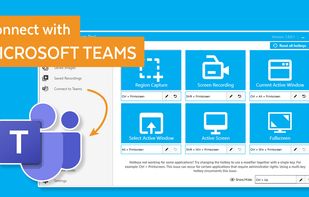
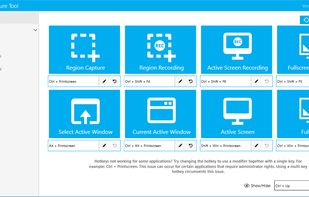
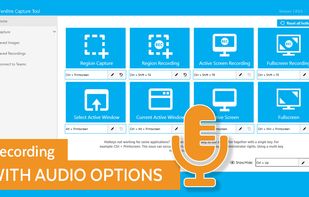
The Fenêtre Capture Tool for making professional screenshots and screen recordings. With advanced functions and abilities that other free capture tools don't offer.
Cost / License
- Free
- Proprietary
Application typeApplication types
Platforms
- Windows


Apps similar to SunnyCapturer include ShareX, which is free and open source. Other options are Greenshot, Flameshot, macshot and Snipping Tool. You're spoiled for choice with Screenshot Capture Tools like SunnyCapturer: we list more than 50 alternatives for Windows, Mac, Linux, the web and iPad.
The Fenêtre Capture Tool for making professional screenshots and screen recordings. With advanced functions and abilities that other free capture tools don't offer.


Maximize productivity on Mac with intuitive screen captures, Picture in Picture, and versatile annotation capabilities.


ScreenRec is a free screen recorder for Windows, Linux, and Mac with webcam, microphone, and system audio capture. Record without a watermark or time limit, store videos in free cloud storage, and share instantly with private links.


puush is a super-quick way to share screenshots and files. Quickly capture any portion of your screen, upload any file, and share them with a short URL automatically placed in your clipboard. Share them with the world or make them private, for your eyes only.


Pensela is an screen annotation tool that can also take screenshots available cross-platform.


This application allows you to capture the entire screen, the active window or a selected region. You can set the delay that elapses before the screenshot is taken and the action that will be done with the screenshot: save it to a PNG file, copy it to the clipboard, open it...

FlyScreen is a powerful screenshot manager for iOS. Search your screenshots, copy text and links, organize by tags, and more.


Swappy is a Wayland screenshot editing tool featuring brushes, text, shapes, arrows, and blur. Images can be saved locally or copied directly to the clipboard.

ScreenCloud is an easy to use screenshot sharing application. Take a screenshot using one of the 3 hotkeys or simply click the ScreenCloud tray icon. You can choose where you want to save your screenshot.