Stay Alternatives

Stay is described as 'If you’re fastidious about keeping your windows tidy, Stay is for you. Stay ensures that your windows are always where you want them to be, even as you connect and disconnect displays' and is an app in the os & utilities category. There are more than 50 alternatives to Stay for a variety of platforms, including Mac, Windows, Linux, KDE Plasma and Google Chrome apps. The best Stay alternative is Rectangle, which is both free and Open Source. Other great apps like Stay are Spencer for Mac, SnapZones, MacsyZones and WinMux.

Copy a direct link to this comment to your clipboard
Stay alternatives page was last updated

Alternatives list

  1. Rectangle icon
     107 likes

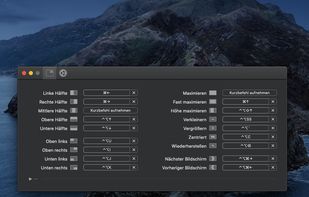
    Move and resize windows on macOS with keyboard shortcuts. Rectangle is a window management app based on Spectacle Wndow Manager, written in Swift (programming language).

    104 Rectangle alternatives

    Cost / License

    • Freemium
    • Open Source

    Application type

    Platforms

    • Mac
     
    |
    1
    Rectangle vs Stay Comments
    hercut hercut
    Negative
    0

    Stay is a software that allows you to find your windows in the right place, it does not manage the location of the windows like Rectangle would do

    • Rectangle is Freemium and Open SourceStay is Paid and Proprietary
    • Rectangle is Lightweight and Privacy focusedStay is not according to our users
  2. Customize your workspace with profiles for any context or task — whether you’re working, browsing, or creating. Easily return to your favorite window setup anytime.

    Cost / License

    • Paid
    • Proprietary

    Application type

    Platforms

    • Mac
     
  3. SnapZones icon
     9 likes

    Organize windows with ease using SnapZones. Enjoy magnetic snapping, predefined and custom layouts, multiple display configuration, and seamless transitioning between workspaces. SnapZones auto-starts at login, ensuring streamlined productivity for macOS users in any environment.

    70 SnapZones alternatives

    Cost / License

    • Paid
    • Proprietary

    Application type

    Platforms

    • Mac
     
  4. MacsyZones icon
     4 likes

    Customize layouts and sections for organizing windows into defined zones on macOS, easily snap and rearrange application windows, support multitasking needs, reduce desktop clutter, and enhance work efficiency for users managing multiple windows.

    Cost / License

    Application type

    Platforms

    • Mac
     
  5. WinMux icon
     4 likes

    Sidebar-first macOS window manager supporting project hierarchies, drag-and-drop window and tab group organization, fully adjustable window gaps, browser-style tab groups with tab reordering, auto-hiding sidebar, Liquid Glass support, and robust workspace navigation.

    Cost / License

    • Free
    • Open Source (MIT)

    Application type

    Platforms

    • Mac
     
  6. Putback icon
     3 likes

    Automatically restores window layouts on macOS when display setups change, offering instant position recovery, desk scene customization with app placement and wallpaper settings, hotkey triggers, undo feature, strong privacy protections, and no subscription needed.

    Cost / License

    • Paid
    • Proprietary

    Application type

    Platforms

    • Mac
     
  7. WindowKeys icon
     4 likes

    Access all native macOS window tiling commands in one place — the Tiling Panel. Customize keyboard shortcuts and use them on any keyboard, even third-party ones.

    Cost / License

    • Free
    • Proprietary

    Application type

    Platforms

    • Mac
     
  8. Griddle icon
     2 likes

    A native macOS menu bar app that provides quick window tiling with keyboard shortcuts and visual grid overlay. Just press QWE, ASD to tile your windows instantly. DRM-free, one-time purchase for all your Macs.

    Cost / License

    • Paid
    • Proprietary

    Application type

    Platforms

    • Mac
     
  9. MacTiler icon
     1 like

    Split screen and organize windows on Mac with keyboard shortcuts, drag-and-drop zones, and professional layouts. Better than native Split View. Multi-monitor support.

    Cost / License

    • Paid
    • Proprietary

    Application type

    Platforms

    • Mac
     
  10. Moom icon
     25 likes

    Moom makes window management as easy as clicking a mouse button—or using a keyboard shortcut, if you're one of those types of people.

    101 Moom alternatives

    Cost / License

    • Paid
    • Proprietary

    Application type

    Platforms

    • Mac
     
    |
    1
    Moom vs Stay Comments
    Guest
    Positive
    0

    Much better "save window layout" options. Snaps back faster and remembers window layout even if you switch tabs in a window.

    • Moom is Paid and ProprietaryStay is also Paid and Proprietary
  11. Divvy icon
     65 likes

    Divvy is an entirely new way of managing your workspace. It allows you to quickly and efficiently "divvy up" your screen into exact portions.

    Cost / License

    • Paid
    • Proprietary

    Application type

    Alerts

    • Discontinued

    Platforms

    • Mac
    • Windows
     
    |
    1
    Discontinued

    The project seems no longer developed. Last version, 1.5.2, released in August 2019, can be still downloaded and bought from the official website and from the Appstore.

    Divvy vs Stay Comments
    hercut hercut
    Negative
    0

    Stay is a software that allows you to find your windows in the right place, it does not manage the location of the windows like Divvy would do

    • Divvy is Paid and ProprietaryStay is also Paid and Proprietary
  12. Settle icon
     Like

    Enables window snapping, remembers and restores multi-app and multi-display layouts, supports workspace profiles, automation for monitor, time, and app rules, local data storage, per app positioning, works offline, and adapts window layouts to display changes.

    Cost / License

    • Paid
    • Proprietary

    Application type

    Platforms

    • Mac
     
12 of 55 Stay alternatives