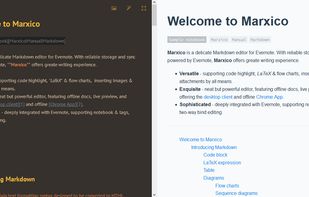
Advanced text editor tailored for creating structured documents. Leverages Markdown to differentiate content and formatting, ensuring streamlined editing and publishing to a multitude of formats.


StackEdit is described as 'Full-featured, open-source Markdown editor based on PageDown, the Markdown library used by Stack Overflow and the other Stack Exchange sites' and is a popular Note-taking tool in the office & productivity category. There are more than 50 alternatives to StackEdit for a variety of platforms, including Mac, Windows, Linux, Web-based and Flathub apps. The best StackEdit alternative is Zettlr, which is both free and Open Source. Other great apps like StackEdit are Typora, Trilium Notes, ghostwriter and MarkText.
Advanced text editor tailored for creating structured documents. Leverages Markdown to differentiate content and formatting, ensuring streamlined editing and publishing to a multitude of formats.


MarkUpDown is an editor specialized to make creating Markdown code easy for beginners and experts. With helpful toolbars for beginners, GitHub Flavored/Multimarkdown table support, and keystroke shortcuts & Easy Actions for the expert, MarkUpDown is ready to help anyone...


SplitMark is a minimal, Quill-based online text editor with robust markdown support. It combines a clean and simple user interface with the power of rich-text editing and markdown capabilities, giving you a distraction-free yet powerful writing experience.

Elegant Markdown Editor (EME) is an intuitive Markdown text editor with distraction-free mode, auto-sync for GitHub Gist, math typesetting support and more.

Glow is a terminal based markdown reader designed from the ground up to bring out the beauty—and power—of the CLI.

Write. Rewrite. Share and discuss. Everything you need to make good writing great.
A beautiful and easy to use editor for the popular Markdown markup language, combined with a themed live preview feature, you will never have to write boring documents again.


This is the simplest and slickest Markdown editor. Just write Markdown and see what it looks like as you type.


Write styled Markdown notes, sync across Mac, iPhone and iPad add to-dos and tags, export to a variety of formats and choose your favourite style from a variety of colourful themes.