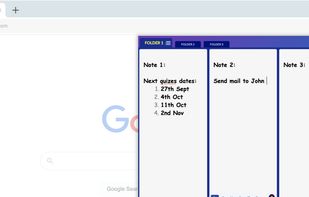
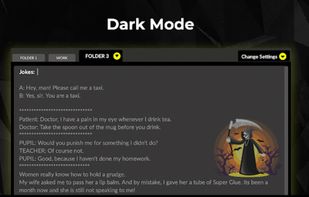
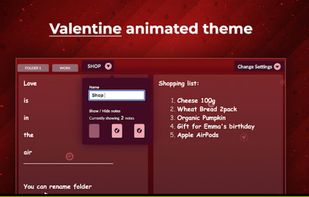
Visual project management and note taking app for curating, organizing, and managing your work - on your own or with a team.
Cost / License
- Paid
- Proprietary
Platforms
- Mac
- Windows
- Online
- Microsoft Edge
- Google Chrome
- Software as a Service (SaaS)


SnappyNotes is described as 'Brings you a sleek, modern sidebar notepad built to blend seamlessly with your workflow. Effortlessly record your insights on the fly and keep your focus where it belongs' and is a Note-taking tool in the office & productivity category. There are more than 50 alternatives to SnappyNotes for a variety of platforms, including Windows, Mac, Linux, Web-based and iPhone apps. The best SnappyNotes alternative is Tomboy, which is both free and Open Source. Other great apps like SnappyNotes are Notefox, Stickies, Notezilla and Milanote.
Visual project management and note taking app for curating, organizing, and managing your work - on your own or with a team.


The aim of this project is to bring the same goodness to the Android platform. The goal is to be file format compatible and be able to sync notes with tomboy. Of course, keeping a great UI adapted to the mobile context is also a goal of this project.


EverSticky is a simple application thats provides post-it notes for your Linux desktop. These notes auto-save and transparently syncronise to Evernote® (when a network connection is available).

Colorful sticky notes that float above every window. Capture ideas instantly from the menu bar with a global shortcut. Markdown, widgets, iCloud sync, and Touch ID lock.


Antnotes is a replacement for stickies that offers additional features and customization options. It aims to be simple and easy to use while introducing more advanced functionalities. The app has a free version with basic features and a paid version that unlocks all features and...


For quick creation of desktop notes on the Windows desktop, with beautiful random options and various customization options.


Flyout is a native macOS menu-bar app that keeps a full rich-text editor one gesture away. Nudge the right edge of your screen, or press Option+Command+N, and a note panel flies out over whatever you're doing, then slides away when you step back.


Just like stickies, Sticklets are useful, versatile, and powerful. Always available to take quick notes, organise ideas, or brainstorm ideas.


Memo is a simple and elegant app for quickly jotting down notes on your Mac. Memos are like sticky notes on your computer screen (minus the residue). Pop open a new memo in less than a second and use it to jot down phone numbers, messages, meeting notes, or write down ideas...