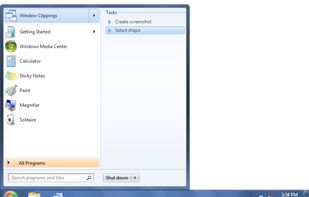
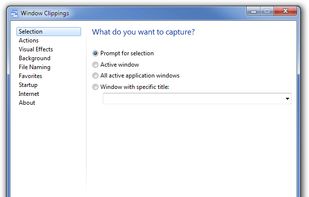
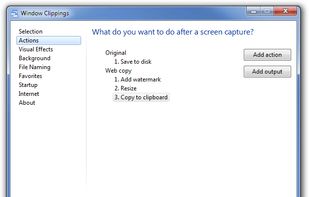
Window Clippings is screenshot app that capture the full Aero glass and shadows interface in screenshots. You can use it to capture shots of windows, menus, or even a free-form selection quickly and easily.


Snapplr is described as 'Revolutionary tool to efficiently take and share screenshots. It completely replaces Mac OS Xs native capabilities and works in the same way as the system tool, but offers a wide range of options. Its main feature is to upload screenshots automatically to Snapplr' and is a screenshot capture tool in the photos & graphics category. There are more than 50 alternatives to Snapplr for a variety of platforms, including Windows, Mac, Google Chrome, Web-based and Linux apps. The best Snapplr alternative is ShareX, which is both free and Open Source. Other great apps like Snapplr are Greenshot, PicPick, Snipping Tool and FastStone Capture.
Window Clippings is screenshot app that capture the full Aero glass and shadows interface in screenshots. You can use it to capture shots of windows, menus, or even a free-form selection quickly and easily.


Schirmfoto is the easiest way of creating screenshots. Schirmfoto integrates itself into your Windows system by adding a new button in the title bar of each window. Clicking this icon will create a screenshot for you.


Screen capture in real time and send instantly to any destination: clipboard, file, graphic editor, studio, e-mail, web, Windows Instant Messenger, ICQ, printer/fax.
informUp screen capture is a free screen capture software for you to easily take screenshots.
PrintKey-Pro is a screen capture program that can capture the screen or any part of it with the press of the Print Screen key (or any other key you configure).
A macOS app for capturing, annotating and sharing screenshots. Quickly add comments, highlight what matters or blur any sensitive content. Upload screenshots to Google Drive or Dropbox. Copy screenshots to the clipboard and paste them directly into Slack, Skype, Jira, Trello and...
This is the handiest way to screen capture, edit selected areas on the screenshots, and sharing with others.


Small and free screenshot app for Mac that offers custom area and resolution presets, and much more.


With Free Snipping Tool, not just you create snips, you can save your snips on major backup services like Imgur, Google Drive and Dropbox. Not just this you can also upload them via FTP or simple WebRequest.