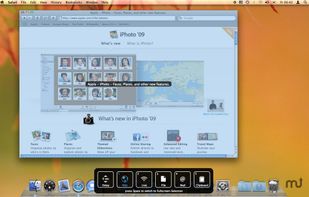
TNT Screen Capture creates screen shots that look better than the original screen.


SnapNDrag Pro is described as 'SnapNDrag makes taking screenshots super easy. Click, select and the screenshot is added to your library. SnapNDrag maintains a library of all the screenshots you have ever taken. Think of it as iPhoto for screenshots' and is a screenshot capture tool in the photos & graphics category. There are more than 50 alternatives to SnapNDrag Pro for a variety of platforms, including Windows, Mac, Web-based, Google Chrome and Mozilla Firefox apps. The best SnapNDrag Pro alternative is ShareX, which is both free and Open Source. Other great apps like SnapNDrag Pro are Greenshot, Snipping Tool, FastStone Capture and PicPick.
TNT Screen Capture creates screen shots that look better than the original screen.


Email Screenshot app allows you to take screenshots on your BlackBerry® device then quickly and easily send screenshots to your contacts. Customisable options are provided with this app. It's user-friendly and saves high-quality Screenshots on a selectable folder on the...


Movavi ScreenShot is a screenshot extension for Chrome and Firefox that lets you grab full and partial screen captures as well as save screenshots in multiple formats.


Viewport Sizer is a free tool for measuring viewport dimensions across any device. Simply visit the website to view your current viewport size. We've also compiled a list of all known modern devices, phones & tablets with all screen size specifications.


7capture is free screen capture software for Windows 7, Vista and XP. 7capture automatically handles complicated transparency problems such as rounded corners and Aero semi-transparent windows backgrounds.
No matter what Windows version you are using, 7capture will do it's m.

This is the handiest way to screen capture, edit selected areas on the screenshots, and sharing with others.


A macOS app for capturing, annotating and sharing screenshots. Quickly add comments, highlight what matters or blur any sensitive content. Upload screenshots to Google Drive or Dropbox. Copy screenshots to the clipboard and paste them directly into Slack, Skype, Jira, Trello and...
QuickScreenshot is a lightweight and very easy to use application that enables you to take screenshots of your desktop with a few mouse clicks. Just press the wanted screenshot key (or press it multiple times) and your screenshots are done!

Screen Capturer allows you to instantly capture any area of the screen to a file or email.

SnipZero is a convenient zero-install screenshot app that lets you take screenshots right from your web browser. No installation required. You can select any application window or browser tab as source.


TechSmith Capture provides a simple, free way to create basic screenshots and screen recordings and share them with others.