


SidekickBar
3 likes
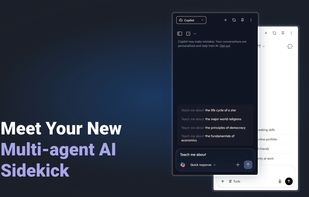
Boost productivity with 30+ AI assistants like ChatGPT, Copilot, Claude & Gemini in one sidebar. Write, code, translate & create faster with AI across Windows, macOS, and Linux.

Cost / License
- Freemium (Pay once)
- Proprietary
Application typeApplication types
Platforms
- Windows
- Linux
- Mac


Features
SidekickBar News & Activities
Highlights All activities
Recent activities
 Fabio-Falletta added SidekickBar as alternative to AuroraNote
 sitequest added SidekickBar as alternative to SiteQuest
 AGSamuel added SidekickBar as alternative to Studily
 clb added SidekickBar as alternative to docAnalyzer
 w1za3d added SidekickBar as alternative to Doxy
 Nootube_Team added SidekickBar as alternative to Nootube
 Mauricio B. Holguin added SidekickBar as alternative to Huxe
 CapitalReasoning added SidekickBar as alternative to Augmented Information Retrieval — AIR
- MOHAMMED ALHARBI liked SidekickBar
 Akshith Anoop added SidekickBar as alternative to Atlas AI


SidekickBar information
Developed by
 Manuel Ernesto Garcia
 Licensing
Proprietary and Freemium product.Pricing
One time purchase (perpetual license) ranging between $15 and $35 + free version with limited functionality.Alternatives
30 alternatives listedBadge
Get an embeddable badge for SidekickBarSupported Languages



No comments or reviews, maybe you want to be first?