Sidebar Alternatives

Sidebar is described as 'Enhances macOS Dock with customizable Sidebar, offering multi-screen support, window previews, and WindowSnap for managing window positions' and is a application launcher in the os & utilities category. There are more than 50 alternatives to Sidebar for a variety of platforms, including Windows, Linux, Mac, Android and KDE Plasma apps. The best Sidebar alternative is WindowSill, which is free. Other great apps like Sidebar are RocketDock, Cairo-Dock, DockProfiles and Docky.

Copy a direct link to this comment to your clipboard
Sidebar alternatives page was last updated

Alternatives list

  1. True Launch Bar icon
     35 likes
    Copy a direct link to this comment to your clipboard

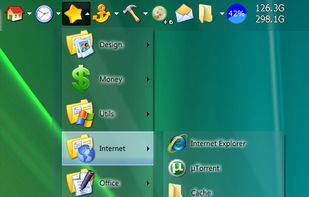
    True Launch Bar is a Superior replacement for the standard Quick Launch bar. All functions presented in Quick Launch are also in True Launch Bar. However, the True Launch Bar is fully compatible with Quick Launch because it uses the same folder for shortcuts.

    Cost / License

    • Free
    • Proprietary

    Application type

    Platforms

    • Windows
     
  2. Dock icon
     11 likes
    Copy a direct link to this comment to your clipboard

    In macOS, the Dock is used as a repository for any program or file in the operating system. It can hold any number of items and resizes them dynamically to fit while using magnification to clarify smaller resized items.

    49 Dock alternatives

    Cost / License

    • Free
    • Proprietary

    Application type

    Platforms

    • Mac
     
  3. InfyniDock icon
     1 like
    Copy a direct link to this comment to your clipboard

    InfyniDock is an alternative dock for macOS that provides an expanded window of open windows without collapsing them. It offers keyboard shortcuts to switch between windows and allows for customizable themes.

    Cost / License

    • Pay once
    • Proprietary

    Platforms

    • Mac
     
  4. XLaunchpad icon
     34 likes
    Copy a direct link to this comment to your clipboard

    XLaunchpad gives you instant access to all your shortcuts. Arrange apps in XLaunchpad any way you like by dragging icons to different locations or by grouping apps in folders. Simply drag one icon over another to create a folder.

    53 XLaunchpad alternatives

    Cost / License

    • Freemium (Pay once)
    • Proprietary

    Application type

    Alerts

    • Warning

    Platforms

    • Windows
     
  5. ActiveDock 2 icon
     4 likes
    Copy a direct link to this comment to your clipboard

    ActiveDock 2 is a customizable alternative to the standard macOS Dock, offering advanced features for app launching, window management, appearance customization, and more. It fully replaces the classic Apple Dock and Launchpad while preserving their familiar look and behavior...

    92 ActiveDock 2 alternatives

    Cost / License

    • Pay once
    • Proprietary

    Application type

    Platforms

    • Mac
     
  6. Dash to Dock icon
     3 likes
    Copy a direct link to this comment to your clipboard

    A dock for the Gnome Shell. This extension moves the dash out of the overview transforming it in a dock for an easier launching of applications and a faster switching between windows and workspaces.

    11 Dash to Dock alternatives

    Cost / License

    • Free
    • Open Source

    Platforms

    • Linux
    • GNOME
     
  7. MadAppLauncher icon
     12 likes
    Copy a direct link to this comment to your clipboard

    A simple application launcher. It is very fast and easy to use. It is unlike your common dock or menu launcher. It introduces several different features such as QWERTY based launching, tab group navigation using numbers, custom window placement for programs, and the ability to...

    42 MadAppLauncher alternatives

    Cost / License

    • Free
    • Open Source

    Application type

    Alerts

    • Discontinued

    Platforms

    • Windows
     
  8. Copy a direct link to this comment to your clipboard

    DockView is a macOS utility that shows live previews (thumbnails) of an application’s open windows when you hover over its icon in the Dock. You can quickly switch, minimize, or close windows directly from that preview panel — all without altering the system Dock itself.

    Cost / License

    • Pay once
    • Proprietary

    Application type

    Platforms

    • Mac
     
  9.  1 like
    Copy a direct link to this comment to your clipboard

    Fully configurable (w/ command line arguments and css) dock, written in Go, aimed exclusively at sway Wayland compositor. It features pinned buttons, task buttons, the workspace switcher and the launcher button.

    Cost / License

    • Free
    • Open Source

    Platforms

    • Linux
     
  10. Dragthing icon
     7 likes
    Copy a direct link to this comment to your clipboard

    DragThing is the original dock designed to tidy up your Macintosh desktop.

    It puts all your documents, folders, and applications just a single click away. Highly flexible, it allows multiple docks, each customised to suit your exact needs.

    It stores frequently-used clippings su.

    69 Dragthing alternatives

    Cost / License

    • Freemium (Pay once)
    • Proprietary

    Application type

    Alerts

    • Discontinued

    Platforms

    • Mac
     
  11. Dash to Panel icon
     3 likes
    Copy a direct link to this comment to your clipboard

    An icon taskbar for the GNOME Shell. This extension moves the dash into the GNOME main panel so that the application launchers and system tray are combined into a single panel, similar to that found in KDE Plasma and Windows 7+.

    Cost / License

    • Free
    • Open Source

    Application type

    Platforms

    • Linux
    • GNOME
     
You are at page 3 of Sidebar alternatives