Shutter Alternatives

Shutter is described as 'Feature-rich screenshot program for Linux based operating systems. It is free, open-source, and licensed under GPL v3' and is a very popular screenshot capture tool in the photos & graphics category. There are more than 50 alternatives to Shutter for a variety of platforms, including Windows, Mac, Linux, Web-based and Google Chrome apps. The best Shutter alternative is ShareX, which is both free and Open Source. Other great apps like Shutter are Flameshot, Greenshot, Ksnip and PicPick.

Copy a direct link to this comment to your clipboard
Shutter alternatives page was last updated

Alternatives list

  1. ScreenCloud icon
     21 likes

    ScreenCloud is an easy to use screenshot sharing application. Take a screenshot using one of the 3 hotkeys or simply click the ScreenCloud tray icon. You can choose where you want to save your screenshot.

    Cost / License

    Application type

    Alerts

    • Discontinued

    Platforms

    • Mac
    • Windows
    • Linux
    • Online
     
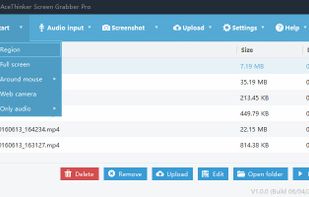
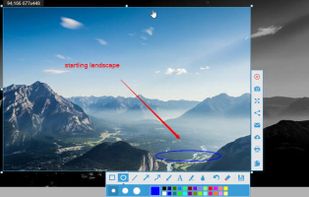
  2. As an innovative software, Screen Grabber Pro involves screen capture solutions for increasing the communication efficiency and also helps improve your productivity at work. You’re enabled to perform quick snapshots as well as screen recording.

    Cost / License

    • Paid
    • Proprietary

    Application type

    Platforms

    • Mac
    • Windows
     
  3.  Like

    Szoter is easy to use, free, online image annotation tool. It makes expressing Your ideas and thoughts easy. It can be used to share Your ideas with friends, highlight important parts of images or even to create readable bug reports.

    Cost / License

    • Free
    • Proprietary

    Platforms

    • Online
     
  4. KSnapshot icon
     7 likes

    In December 2015, KSnapshot has been replaced by Spectacle.

    Cost / License

    • Free
    • Open Source

    Application type

    Alerts

    • Discontinued

    Platforms

    • Linux
     
  5. HyperSnap icon
     8 likes

    HyperSnap is the fastest and easiest way to take screen captures from Windows screen, and text capture (TextSnap™) from places where normal text copy is not possible. HyperSnap combines the power of a first-class screen capture application with an advanced image editing utility...

    56 HyperSnap alternatives

    Cost / License

    • Paid
    • Proprietary

    Application type

    Platforms

    • Windows
     
  6. Snipboard icon
     20 likes

    Snipboard (previously known as Snaggy) is an image host that lets you quickly paste and share images from your clipboard directly online.

    Cost / License

    • Freemium
    • Proprietary

    Application type

    Platforms

    • Online
     
  7. Snip is a screen-capture application that can capture the active window or custom areas. Drag to zoom in/out the screen shot; add labels, texts and handwriting contents of your choice and save it to your device or the clipboard.

    Cost / License

    • Free
    • Proprietary

    Application type

    Platforms

    • Mac
     
  8. You're busy. OneNote Web Clipper lets you quickly clip all or part of a web page to OneNote, and save it for later. Clip images, pdfs, videos, or a visual bookmark of a page. Best of all, you can access them from any computer, tablet, or phone - even when you're offline.

    Cost / License

    • Free
    • Proprietary

    Platforms

    • Online
    • Chrome OS
    • Google Chrome
    • Firefox
     
  9. Easy Screen Capture and Annotation lets you capture and annotate any part of the screen. The main goal of the product is to speed up the capture and editing process saving you valuable time by automating repetitive tasks.

    Cost / License

    • Freemium
    • Proprietary

    Platforms

    • Windows
     
  10. PrintKey-Pro icon
     1 like

    PrintKey-Pro is a screen capture program that can capture the screen or any part of it with the press of the Print Screen key (or any other key you configure).

    86 PrintKey-Pro alternatives

    Cost / License

    • Paid
    • Proprietary

    Application type

    Platforms

    • Windows
     
  11. SnapNDrag Pro icon
     5 likes

    SnapNDrag makes taking screenshots super easy. Click, select and the screenshot is added to your library. SnapNDrag maintains a library of all the screenshots you have ever taken. Think of it as iPhoto for screenshots.

    Cost / License

    • Paid
    • Proprietary

    Platforms

    • Mac
     
You are at page 3 of Shutter alternatives