


Showdown
1 like
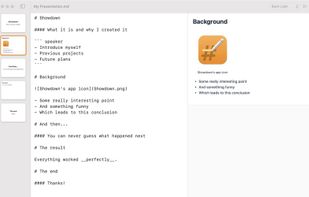
Showdown is an easy-to-use tool for quickly creating presentations using Markdown. It's perfect for those times where you need to whip up a presentation within minutes rather than hours, like for a sprint review or presenting your findings on that experiment for your team.

Cost / License
- Free
- Proprietary
Application type
 EU
EUPlatforms
- Mac


Features
Highlights All activities
Showdown News & Activities
Recent News
No news, maybe you know any news worth sharing?
Share a News Tip
Recent activities
 HanFlow Team added Showdown as alternative to HanFlow AI
 Paul added Showdown as alternative to Bento Slides


Developed by
 Tinybird Interactive AB
 Licensing
Proprietary and Free product.Alternatives
47 alternatives listedBadge
Get an embeddable badge for ShowdownSupported Languages
AlternativeTo Category
Office & Productivity


Mac Must Haves
Just a list in case I lose my other lists within my local storage :)

Comments and Reviews
You can just do this in Obsidian which has an option and a plugin to create presentations using markdown.
Why would I use another app? The only new thing is previsualization of slides as cards.
I think it's actually a good alternative if you don't use Obsidian or prefer not to use plugins. Obsidian is a beast and incredible software, but it can also become overly complex at times, and sometimes you just want something more straightforward 🙃
It is a core plugin called "slide" (integrated on obsidian) an this extension https://github.com/MSzturc/obsidian-advanced-slides. And here's the official documentation https://help.obsidian.md/Plugins/Slides. It is pretty basic but it works.
Didn't know! I'll give it a try. Thanks for sharing