
Shadowfetch Linux icon

Shadowfetch Linux

A privacy-focused, AI-ready Debian system featuring the shadow and gold Umbra theme, KDE Plasma 6, preinstalled creative, audio, and 3D tools, agent workspaces for secure local AI, robust updates and recovery controls, browser migration, and strong local-first security.
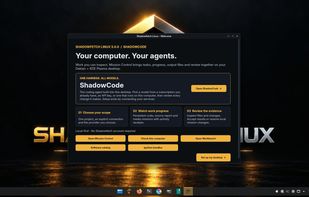
Shadowfetch Linux screenshot 1

Cost / License

Application type

Platforms

  • Linux
  • KDE Plasma
  • Debian
1like
0comments
0articles

Features

Properties

  1.  Support for Themes
  2.  Privacy focused

Features

  1.  No registration required
  2.  Ad-free
  3.  No Tracking
  4.  Dark Mode
  5.  Works Offline
  6.  Based on Debian
  7.  Local AI
  8. KDE Plasma icon  KDE Plasma integration
  9.  Linux-based

Shadowfetch Linux News & Activities

Highlights All activities

Recent activities

Shadowfetch Linux information

  • Developed by

    US flagShadowfetch
  • Licensing

    Open Source (GPL-3.0) and Free product.
  • Written in

  • Alternatives

    51 alternatives listed
  • Supported Languages

    • English

AlternativeTo Category

OS & Utilities

GitHub repository

  •  3 Stars
  •  0 Forks
  •  0 Open Issues
  •   Updated  
View on GitHub

Popular alternatives

View all
Shadowfetch Linux was added to AlternativeTo by Paul on and this page was last updated .
No comments or reviews, maybe you want to be first?

What is Shadowfetch Linux?

A private, AI-ready creative workstation built honestly on Debian — KDE Plasma 6, themed end to end in shadow and gold, with safe updates, recovery, local AI, and the creative tools you’d otherwise spend a weekend installing already working.

What you get out of the box:

  • Private by default: UFW firewall on, MAC-address randomization, hardened sysctl. Your machine, your data.
  • Agent-ready, on-device: Run Hermes or OpenClaw, then give each project a private Agent Studio workspace with tasks, memory, artifacts and safety rules.
  • Themed end to end: GRUB, boot splash, login, and desktop unified in the Umbra gold-on-graphite look.
  • Easy to keep healthy: The Control Center puts safe updates, plain-language health checks, snapshots, recovery, graphics and agent tools in one place.
  • 2D · Photo: GIMP, Krita, Inkscape, Scribus, darktable, RawTherapee, digiKam
  • Audio · Video: Ardour, Audacity, Hydrogen, Kdenlive, Shotcut, OBS Studio, full LV2 plugin set
  • 3D · Color: Blender, FreeCAD, OpenSCAD, ArgyllCMS, DisplayCAL, colord
  • Bring your browser with you: The Browser Migration assistant validates bookmark and password exports, stages them privately, and handles temporary Flatpak access for Brave.

Agent-ready out of the box

Shadowfetch is built to run autonomous work on your own hardware without turning your home folder into an unstructured experiment.

  • Hermes: Nous Research’s self-improving agent — writes its own skills as you work, with a Telegram/Discord/Slack gateway.
  • OpenClaw: A lightweight personal agent with friendly onboarding that drives your local models.
  • 100% local: Run one recommended on-device model and local web chat. The wider model catalog stays available as an advanced option.
  • Agent Studio: Create an isolated workspace with instructions, task state, durable memory and logs. Browser and sandbox tools remain deliberate, guided installs.

Official Links