ScreenTray Alternatives

ScreenTray is described as 'A macOS app for capturing, annotating and sharing screenshots. Quickly add comments, highlight what matters or blur any sensitive content. Upload screenshots to Google Drive or Dropbox. Copy screenshots to the clipboard and paste them directly into Slack, Skype, Jira, Trello and' and is a screenshot capture tool in the photos & graphics category. There are more than 100 alternatives to ScreenTray for a variety of platforms, including Windows, Mac, Web-based, Linux and Google Chrome apps. The best ScreenTray alternative is ShareX, which is both free and Open Source. Other great apps like ScreenTray are Flameshot, Greenshot, Ksnip and PicPick.

Copy a direct link to this comment to your clipboard
ScreenTray alternatives page was last updated

Alternatives list

  1. WinSnap icon
     20 likes
    Copy a direct link to this comment to your clipboard

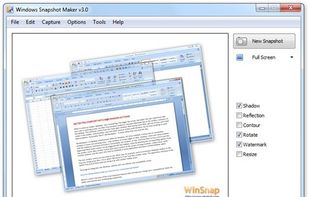
    WinSnap is a small enhancement utility for taking and editing screenshots. Standard features include easy capture of non-rectangular windows with customized and transparent backgrounds, simple and automatic canvas transformations, coloring effects, and the addition of eye-candy...

    Cost / License

    • Paid
    • Proprietary

    Application type

    Platforms

    • Windows
     
  2. Capture .NET icon
     3 likes
    Copy a direct link to this comment to your clipboard

    Capture .NET Free is an integrated, multi-functional, powerful and general-purpose System, Design, File, Desktop and Develop utility tool. Includes many helpful tools: Capture Screen/Image Editor/Capture Color/Post-It/Screen Clock/Screen Calender/Screen Reminder/Screen...

    Cost / License

    • Free
    • Proprietary

    Application type

    Platforms

    • Windows
     
  3. ScreenCloud icon
     21 likes
    Copy a direct link to this comment to your clipboard

    ScreenCloud is an easy to use screenshot sharing application. Take a screenshot using one of the 3 hotkeys or simply click the ScreenCloud tray icon. You can choose where you want to save your screenshot.

    Cost / License

    • Free
    • Open Source

    Application type

    Alerts

    • Discontinued

    Platforms

    • Mac
    • Windows
    • Linux
    • Online
     
  4. Copy a direct link to this comment to your clipboard

    Gemoo's Website Screenshot Screenshot Tool lets you capture high-quality PNG, JPEG or PDF screenshots of entire webpages. You can also use our Bulk Website Screenshot feature to capture multiple screenshots at once, displayed as a slide view and easily shareable via copy...

    Cost / License

    • Freemium (Subscription)
    • Proprietary

    Platforms

    • Online
     
  5. Gifcap icon
     3 likes
    Copy a direct link to this comment to your clipboard

    It's a tool for creating animated GIFs from a screen recording. Client-side only, no data is uploaded. Modern browser required.

    21 Gifcap alternatives

    Cost / License

    • Free
    • Open Source

    Platforms

    • Online
    • Self-Hosted
     
    • Gifcap is the most popular Self-Hosted alternative to ScreenTray.

    • Gifcap is Free and Open SourceScreenTray is Freemium and Proprietary
  6. mac2imgur icon
     3 likes
    Copy a direct link to this comment to your clipboard

    mac2imgur - A simple Mac app designed to make uploading images and screenshots to Imgur quick and effortless

    Cost / License

    • Free
    • Open Source

    Application type

    Alerts

    • Discontinued

    Platforms

    • Mac
     
  7. WebSnapperPro icon
     11 likes
    Copy a direct link to this comment to your clipboard

    WebSnapperPro (formerly known as Red Snapper) lets you capture web pages - exactly as they appear in your browser. You can send them to a file, as images or vector-based, multi-page PDFs. It captures the whole web page - eliminating the need to cut, paste and crop multiple...

    Cost / License

    • Pay once
    • Proprietary

    Application type

    Platforms

    • Mac
     
  8. SnapCrab icon
     5 likes
    Copy a direct link to this comment to your clipboard

    SnapCrab is a photo capture software that can capture any part of your screen. Files are saved in PNG format. Capture the whole screen, specified windows or areas, or wherever you like. With SnapCrab you can directly post captured images to Twitter, or save them to Evernote.

    67 SnapCrab alternatives

    Cost / License

    • Free
    • Proprietary

    Application type

    Platforms

    • Windows
    • Sleipnir
     
  9. TinyTake icon
     7 likes
    Copy a direct link to this comment to your clipboard

    TinyTake is a free screen capture software for Microsoft Windows. With TinyTake, you can capture images and videos of your computer screen, add comments and share them with others in minutes. TinyTake is built by MangoApps and is available for free.

    Cost / License

    • Freemium
    • Proprietary

    Platforms

    • Windows
     
  10. Copy a direct link to this comment to your clipboard

    Captures the contents of the screen with a single keystroke. The captured screen can then be sent to the printer, or saved to disk as a file in 6 different graphics file formats. 15 languages.

    111 Gadwin PrintScreen alternatives

    Cost / License

    • Freemium (Pay once)
    • Proprietary

    Application type

    Platforms

    • Windows
     
  11. Copy a direct link to this comment to your clipboard

    Capture the web page, either part of it or full page. Edit your screenshots in a very user-friendly interface.

    Cost / License

    • Free
    • Proprietary

    Application type

    Platforms

    • Online
    • Google Chrome
    • Firefox
     
You are at page 7 of ScreenTray alternatives