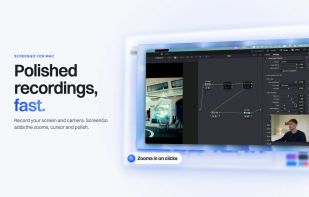
Record your screen and camera, and ScreenGo does the polish: smart zooms, a smooth cursor, captions and clean sound. No account, no subscription, nothing leaves your Mac.
ScreenGo records your screen and camera and turns the raw take into a video that looks produced, without a timeline-heavy edit. Record a display, a window or an area, with your camera, your voice and the computer's sound. Then open the editor and the polish is mostly done for you.
Record
• Start from the menu bar, a keyboard shortcut or the main window, with an optional countdown.
• Your camera in a bubble: a webcam, an iPhone, or a Sony camera over USB.
• A teleprompter that follows your voice and highlights each word as you say it.
• Pause and resume; every track stays in sync. A take that stops early is kept, not lost.
• Record in 1080p, 1440p or 4K at 30 or 60 frames a second.
Edit
• Automatic zooms that follow your clicks and typing, with easing you can adjust.
• A camera bubble that moves out of the mouse's way on its own.
• Backgrounds, shapes and layouts: the recording in a frame, side by side with the camera, or full screen.
• A smooth cursor with click effects, drawn from the recorded mouse path, not the pixels.
• Camera looks: built-in colour grades, or import your own .cube LUT.
• Captions from your speech, cuts and speed-ups, blur boxes for private details, titles, labels and arrows.
• Voice processing: noise reduction and presets that make a laptop mic sound like a studio one.
• Full undo. Your original recording is never changed.
Share
• Export MP4 up to 4K, or an animated GIF.
• Copy the finished video straight to the clipboard, ready to paste into a message.
Webcam for other apps
Switch it on and ScreenGo appears as a camera in Zoom, Meet, FaceTime and Chrome, with your look applied.
Private by design
ScreenGo has no account, no sign-in and no network code. Recordings stay in your Movies folder. Captions and the teleprompter use Apple's on-device speech recognition.
Requirements
A Mac with Apple silicon (M1 or later) running macOS 26 or later. A Sony camera is optional: any webcam or iPhone works.






 Paul added ScreenGo as alternative to GPU Screen Recorder, OBS Studio, Bandicam, VokoscreenNG and 38 more

 ScreenGo


No comments or reviews, maybe you want to be first?