





ScreenCursor
1 like
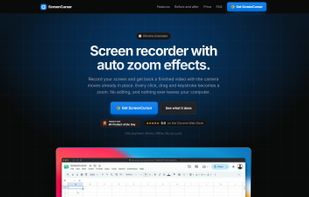
Chrome screen recorder that adds automatic zoom on every click, with an editor and MP4 export. One-time purchase, nothing uploaded.

Cost / License
- Pay once
- Proprietary
Application typeApplication types
Platforms
- Google Chrome


Features
ScreenCursor News & Activities
Highlights All activities
Recent activities
- MD-Anwar-Hossain liked ScreenCursor
- MD-Anwar-Hossain added ScreenCursor
 MD-Anwar-Hossain added ScreenCursor as alternative to Loom, OBS Studio, Screenity, Screen Studio and 1 more

ScreenCursor information
Developed by
 ScreenCursor
 Licensing
Proprietary and Commercial product.Pricing
One time purchase (perpetual license) that costs $49.Alternatives
5 alternatives listedBadge
Get an embeddable badge for ScreenCursorSupported Languages


No comments or reviews, maybe you want to be first?