


ScreenCast Caps
Keystrokes on screen, keyboard, mouse, draw on screen. Designed specifically for creating screencasts and tutorials. CSS Based keystroke on screen. Lots of predefined keystroke CSS themes. It's easy to create a theme yourself.


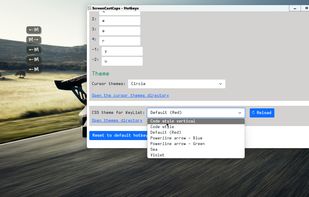


Features
Properties
- Privacy focused
- Lightweight
Features
- Ad-free
- No Tracking
- Chroma Key / Green Screen
- Works Offline
- Dark Mode
- No registration required
- Screen Sharing
- OSD
- On-screen Keyboard
ScreenCast Caps News & Activities
Recent activities
ScreenCast Caps information
Developed by
QuickTutorialLicensing
Proprietary and Freemium product.Pricing
One time purchase (perpetual license) ranging between $4 and $7 + free version with limited functionality.Alternatives
9 alternatives listedSupported Languages
- English


What is ScreenCast Caps?
Great thing to display keys pressed on screen, and draw. Suitable for screen recording, screencasting, and tutorials. This follows a different style of displaying keystrokes. Keystrokes are arranged in a row or in a column, which is much more convenient to keep track of which key was pressed. There are different directions for printing keystrokes. Keystroke can be moved to any place on the screen with the mouse. There is also an on-screen keyboard and mouse that highlight the buttons that were pressed. The keyboard and mouse can be disabled, and only keystrokes can be left, or vice versa. Quickly draw simple shapes on the screen - arrows, lines, frames, text. There is also sound of keys being pressed.