


Remarkable
15 likes
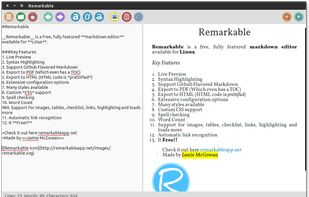
A fully featured markdown editor for Linux. Features include Live Preview, PDF/HTML export, MathJax support, Syntax highlighting, customizable, keyboard shortcuts, GFM, images, tables and much more.

Cost / License
- Free
- Open Source (MIT)
Alerts
- Discontinued
Platforms
- Linux


Discontinued
Possibly discontinued. No updates for more than two years. Installation fails on latest Ubuntu. https://github.com/jamiemcg/Remarkable/issues/400

Features
Highlights All activities
Remarkable News & Activities
Recent activities
 rhino88 added Remarkable as alternative to Markdown Writer
 Paul added Remarkable as alternative to Downright
 Paul added Remarkable as alternative to marka.md
 Paul added Remarkable as alternative to Clearly Markdown
 Paul added Remarkable as alternative to MacDown 3000
 Dalieba added Remarkable as alternative to Markdown Shell Extensions and Editor


Developed by
UnknownLicensing
Open Source (MIT) and Free product.Written in
Alternatives
65 alternatives listedBadge
Get an embeddable badge for RemarkableSupported Languages

AlternativeTo Categories
News & Books, Office & Productivity, DevelopmentGitHub repository
- 2,040 Stars
- 228 Forks
- 80 Open Issues
- Updated


Open-Source Linux & Android Markdown Editors that Support RTL
These are Linux Markdown editors that can display RTL text correctly (in editor, not preview) even between Latin text
Three Types:
Poor: No orientation, RTL text mixed-up with LTR making thus changing the text direction.
Limited: RTL words are not mixed up with LTR words, but the direction is incorrect. Usually, this is only the case in the editor view; the preview is usually of the poor type.
Complete: Direction+Organistion of RTL+LTR text fields. So far, no open-source Linux editor can do that, except the web based Morattab (sobhe.ir/moratab). Other apps that belong to this category are usually not editors and thus aren't considered (except a few picks in the section below)
Honrable Mentions:
Scarlet Notes (Android): Complete support, but uses own format. No editing from other devices.
Pure Writer (Andorid): Complete support for RTL in editor and preview, but uses its own format with no ability to edit from another device. Closes-source.
Others:
Ramz - ramz.netlify.app : visually-pleasing Web editor. Supports RTL exclusively.
RTL Markdown rtlmd.codecast.ir: even simpler, but has that same problem
Comments and Reviews
Installation of .deb-package fails on Xubuntu 19.10, but installation via snap is successfull (snap install remarkable).
but the rendering and the formatting support is one of the best, and checkbox support is cool
But what gives, if the live preview is broken and editor is unacceptable for medium and larger texts.
Edit: I think I figured out the reason for sluggishness. Its live preview mode, because it seem to poll and re-render the contents too early. That is it should instead delay the rendering, if it detects that keys are still being pressed. This may also be the reason for live preview to loose its focus and scroll all way up. Eitherway, in this condition, the live editing of larger documents is nigh-impossible.
Linux, KDE4.
[Edited by thisisme, May 25]