RedshiftGUI Alternatives

RedshiftGUI is described as 'Changes the color temperature of your monitor to better match that of your surrounding. This means that it sets a cooler color temperature during the daytime (due to natural lighting) and sets a warmer temperature at night (due to indoor lighting). Similar to f' and is a popular color temperature tool in the sport & health category. There are more than 25 alternatives to RedshiftGUI for a variety of platforms, including Windows, Mac, Linux, Wayland and Android apps. The best RedshiftGUI alternative is f.lux, which is free. Other great apps like RedshiftGUI are Redshift, LightBulb, Solace and Iris mini.

Copy a direct link to this comment to your clipboard
RedshiftGUI alternatives page was last updated

Alternatives list

  1.  3 likes

    Kumux is a dynamic circadian color scheme for code editors and other software. It adjust color temperature, color hues, contrast and brightness levels throughout the day based on the position of the sun.

    Cost / License

    • Free
    • Open Source (MIT)

    Application type

    Platforms

    • Mac
    • Windows
    • Linux
    • Chrome OS
    • Software as a Service (SaaS)
     
  2. Desktop Dimmer icon
     15 likes

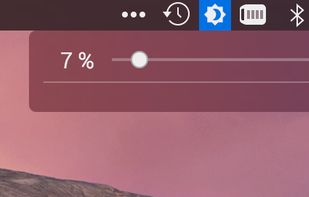
    Enable darker-than-dark dimming for internal and external screens.

    Cost / License

    Application type

    Alerts

    • Discontinued

    Platforms

    • Mac
    • Windows
    • Linux
     
  3. sunsetr icon
     1 like

    Automatic blue-light filter for Hyprland, Niri, and everything Wayland.

    Cost / License

    • Free
    • Open Source (MIT)

    Platforms

    • Wayland
    • Linux
     
  4. iBrightness Tray is a little bit of a swiss army knife display tool as adjusting the brightness of your screen is just one of three main functions it has. The other two are turning on your screensaver at the click of a button and also the ability to turn off the display...

    Cost / License

    • Free
    • Proprietary

    Application type

    Alerts

    • Discontinued

    Platforms

    • Windows
     
  5. Shady icon
     5 likes

    Shady puts a shade over your screen to help soothe your tired or dazzled eyes. You can use it to reduce your Mac's brightness far below the usual minimum, without any risk of damage to your screen.

    Cost / License

    • Free
    • Open Source

    Platforms

    • Mac
     
  6. DimScreen icon
     6 likes

    Form 1 Hour Software by skrommel, it can dim the screen by applying a transparent gray layer on top of your opened applications

    58 DimScreen alternatives

    Cost / License

    • Free
    • Proprietary

    Application type

    Platforms

    • Windows
     
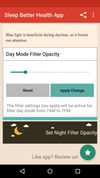
  7. Do you use your mobile phone after sunset? Do you use your phone within three hours of your bed time? If yes, then your device might be taking your sleep away. Bluelight from your mobile screens sends a signal to brain to wake up, and makes it difficult for us to sleep at night.

    Cost / License

    • Free
    • Proprietary

    Application type

    Platforms

    • Android
    • Android Tablet
     
  8. Worlds first Myopic Defocus effect. Applies a Myopic Defocus effect on any website. This makes the screen look on the retina naturally as if it was at a greater distance. People report it being more convenient to look at.

    Cost / License

    Platforms

    • Windows
    • Google Chrome
     
  9. SunshinePal icon
     1 like

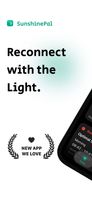
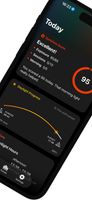
    SunshinePal is your daily sunlight companion designed to help you track your exposure, set healthy goals, and reconnect with nature for better sleep and mood.

    Cost / License

    • Freemium
    • Proprietary

    Platforms

    • iPhone
    • Apple Watch
     
  10. EyeAway icon
     Like

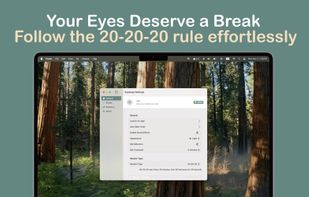
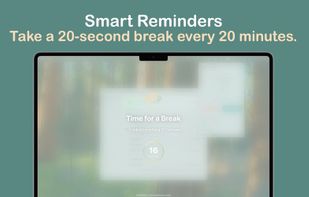
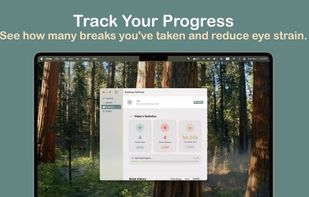
    EyeAway is a beautiful, privacy-first macOS app that helps reduce digital eye strain using the proven 20-20-20 rule. Every 20 minutes, look 20 feet away for 20 seconds - your eyes will thank you.

    Cost / License

    • Paid
    • Proprietary

    Platforms

    • Mac
     
You are at page 4 of RedshiftGUI alternatives