Rectoly makes reading and annotating on iPhone and iPad work properly.
READING MODE
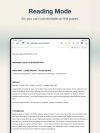
Academic papers are usually typeset in two columns, which makes them hard to read on a phone or in a narrow split view. Reading Mode reflows the paper into a single, clean text column — without losing the original PDF. Jump back to the exact page anytime.
ANNOTATE IN READING MODE
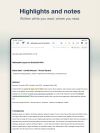
In Reading Mode you can still highlight, underline, add sticky notes, and write with Apple Pencil. Your handwriting even scales with the text size.
ZOTERO SYNC
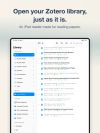
Sign in with your Zotero account and read your library directly on iPhone and iPad. Highlights, underlines and notes are written back to Zotero as annotations, and annotations made in Zotero Desktop or other apps appear in Rectoly — your notes stay in one place, inside your existing research workflow. Apple Pencil handwriting on a PDF page is saved to Zotero as an ink annotation, so it is there on the desktop too.
WORKBENCH (iPad)
Pin Figure 1 beside the text and keep reading — no more scrolling back and forth between a figure and the paragraph that cites it. You can also split the reader: Reading Mode on one side, the original page on the other.
SOFT DARK
A paper-friendly dark mode that dims the page itself, not just the interface. Easy on the eyes for late-night reading.
A LIBRARY THAT STAYS OUT OF YOUR WAY
- Smart views: unread, downloaded, recently opened, favorites
- PDFs download only when you open them, saving storage
- Downloaded papers work fully offline — flights, commutes, conferences, field work
- Search across your papers
APPLE PENCIL, PRESERVED
Handwriting made inside Reading Mode stays on the device: backed up with iCloud, kept with a version history you can restore, and exportable as JSON for long-term preservation. Your research is never locked inside Rectoly.









 Hawk-Eye added Rectoly for Zotero as alternative to PaperShip, Zotero, Mendeley and Rectoly for Mendeley
 Takaki Takemura


