portracker icon
portracker icon

portracker

 1 like

A self-hosted, real-time port monitoring and discovery tool.
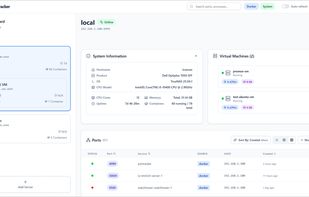
portracker screenshot 1

Cost / License

  • Free
  • Open Source (MIT)

Platforms

  • Self-Hosted
  • Docker
  • Windows
  • Linux
  • TrueNAS
  • Unraid
  • Synology C2
  • Ubuntu Server
1like
0articles
Save

Features

Properties

Features

Highlights All activities

portracker News & Activities

Recent activities

portracker information

AlternativeTo Categories

Network & Admin, Development, System & Hardware

GitHub repository

  •  2,470 Stars
  •  106 Forks
  •  30 Open Issues
  •   Updated  
View on GitHub
portracker was added to AlternativeTo by Paul on and this page was last updated .

No comments or reviews, maybe you want to be first?

What is portracker?

A self-hosted, real-time port monitoring and discovery tool.

By auto-discovering services on your systems, portracker provides a live, accurate map of your network. It helps eliminate manual tracking in spreadsheets and prevents deployment failures caused by port conflicts.

Key features:

  • Automatic Port Discovery: Scans the host system to find and display running services and their ports automatically. No manual data entry is needed.
  • Platform-Specific Collectors: Includes specialized collectors for Docker and TrueNAS to gather rich, contextual information from the host.
  • Lightweight & Self-Contained: Runs as a single process with an embedded SQLite database. No external database dependencies like PostgreSQL or Redis are required.
  • Peer-to-Peer Monitoring: Add other portracker instances as peers to view all your servers, containers, and VMs from a single dashboard.
  • Hierarchical Grouping: Organize servers in a parent-child structure, perfect for nesting servers, e.g. a VM's portracker instance under its physical host.
  • Enhanced TrueNAS Discovery: Providing an optional TrueNAS API key allows portracker to discover running VMs* and gather enhanced system information like the OS version and uptime.
  • Modern & Responsive UI: A clean dashboard with light/dark modes, live filtering, and multiple data layout views (list, grid, table).