

Pluton
1 like
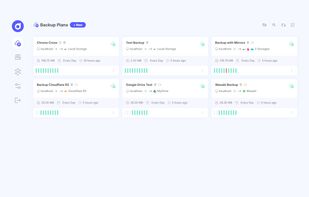
Pluton is a self-hosted backup management platform that simplifies automated, incremental backups across your storage destinations. Pluton leverages powerful open-source tools - Restic for secure incremental backups and Rclone for versatile cloud storage connectivity - wrapped...
Cost / License
- Freemium (Subscription)
- Open Source (Apache-2.0)
Application type
Platforms
- Self-Hosted
- Windows
- Mac
- Linux
Features
Properties
- Privacy focused
- Lightweight
Features
- Two-factor Authentication
- Dark Mode
- Built-in viewer
- Encrypted Backup
- Automatic Backup
- Schedule Backup
- No registration required
- End-to-End Encryption
- No Tracking
- Incremental Backup
Tags
Pluton News & Activities
Highlights All activities
Recent activities
Pluton information
No comments or reviews, maybe you want to be first?
What is Pluton?
Pluton is a self-hosted backup management platform that simplifies automated, incremental backups across your storage destinations. Pluton leverages powerful open-source tools - Restic for secure incremental backups and Rclone for versatile cloud storage connectivity - wrapped in an intuitive web interface designed for both beginners and advanced users.
Features
- Automated backups with encryption, compression and retention policies powered by Restic
- Backup Replication Auto backup your content to multiple cloud storages to create 3-2-1 backup plans.
- Easy Restore & Download: Restore or download backed up snapshot data easily with just a few clicks.
- Flexible scheduling For automated backup jobs with fine-grained retention policies
- End-to-end encryption Backups are totally encrypted from your local machine to your cloud storage.
- 70+ Storage Support: Store encrypted data to your favorite cloud storages (powered by rclone).
- Event Notifications: Get notifications to Email, Slack, Discord & Push Notifications (NTFY).
- Auto Retry Logic: Automatically retries backups if they fail with customization options.
- Intuitive UI: Manage everything from a single, clean interface.
- Real-time Progress Tracking: Track the progress of your backups in real-time.
- Extensive Logging: View app and backup logs right from the UI for better debugging.
- Run Scripts before/after: Ability to run scripts before and after running backups.


