Pluma Alternatives

Pluma is described as 'Fork of gedit , is a text editor part of MATE Desktop Environment. It supports most standard editor features, extending this basic functionality with other features not usually found in simple text' and is a Text Editor in the development category. There are more than 100 alternatives to Pluma for a variety of platforms, including Windows, Linux, Mac, BSD and Flathub apps. The best Pluma alternative is Notepad++, which is both free and Open Source. Other great apps like Pluma are Visual Studio Code, Sublime Text, VSCodium and Vim.

Copy a direct link to this comment to your clipboard
Pluma alternatives page was last updated

Alternatives list

  1. Howl icon
     6 likes
    Copy a direct link to this comment to your clipboard

    Howl is a general purpose editor that aims to be both lightweight and fully customizable. It is built on top of the very fast LuaJIT runtime, and can be extended in either Lua or Moonscript. It has a minimalistic UI driven mainly by the keyboard.

    Cost / License

    • Free
    • Open Source

    Application types

    Alerts

    • Discontinued

    Platforms

    • Linux
    • BSD
     
  2. Copy a direct link to this comment to your clipboard

    Simple distraction-free text editor without any rich text nonsense. The simplicity is a feature.

    Cost / License

    • Freemium (Pay once)
    • Proprietary

    Application type

    Platforms

    • Mac
     
  3. NEdit icon
     9 likes
    Copy a direct link to this comment to your clipboard

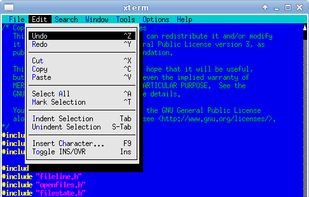
    NEdit is a multi-purpose text editor for the X Window System, which combines a standard, easy to use, graphical user interface with the thorough functionality and stability required by users who edit text eight hours a day.

    Cost / License

    • Free
    • Open Source

    Application types

    Platforms

    • Mac
    • Windows
    • Linux
    • BSD
     
  4. FoldingText icon
     8 likes
    Copy a direct link to this comment to your clipboard

    FoldingText makes you productive in easily formatted plain text. Turn your ideas into plans. Your to-dos into results. Your writing into clear, focused documents.

    Cost / License

    • Paid
    • Proprietary

    Application types

    Platforms

    • Mac
     
  5. Copy a direct link to this comment to your clipboard

    Nota is a convergent text editor. Nota is easy to use, with a simple interface by default. Nota supports syntax highlighting for various languages, focus mode, annotations, configurable fonts, colors, a integrated side panel and more.

    Cost / License

    • Free
    • Open Source

    Application types

    Platforms

    • Linux
     
  6. Vy icon
     2 likes
    Copy a direct link to this comment to your clipboard

    vy is a modal editor with a very modular architecture. vy is built on top of Tkinter which is one of the most productive graphical toolkits; It permits vy to have such a great programming interface for plugins.

    Cost / License

    • Free
    • Open Source

    Application types

    Alerts

    • Discontinued

    Platforms

    • Mac
    • Windows
    • Linux
     
  7. Copy a direct link to this comment to your clipboard

    Notepad! is the free, powerful, feature-rich replacement for your Windows Notepad. This software is completely free to use, for both personal and business purposes. With multi-document editing, split editing (two views of the same document, side by side, with synchronized...

    Cost / License

    • Free
    • Proprietary

    Application types

    Platforms

    • Windows
     
  8. ConTEXT icon
     11 likes
    Copy a direct link to this comment to your clipboard

    ConTEXT is a small, fast and powerful freeware text editor, developed to serve as a secondary tool for software developers.

    Cost / License

    • Free
    • Open Source

    Application types

    Platforms

    • Windows
     
  9. Ynote Classic icon
     7 likes
    Copy a direct link to this comment to your clipboard

    Ynote Classic is an easy to use fast and advanced text editor with a tabbed interface and multiview. It has intelligent Syntax Highlighting, Code Folding , Auto Indent and autocompletion. It can highlight any language you like using Regular Expressions.

    Cost / License

    • Free
    • Open Source

    Application types

    Alerts

    • Discontinued

    Platforms

    • Windows
     
  10. TEA icon
     7 likes
    Copy a direct link to this comment to your clipboard

    TEA is free text editor for Linux, *BSD, OS/2, Windows, Haicu. It depends on Qt 4.6+ or Qt 5 or Qt6, zlib and, optionally, on Aspell or Hunspell. The old (but renewed) branch, TEA-GTK depends on GTK+ 3 and GtkSourceView 3.

    Cost / License

    • Free
    • Open Source

    Application types

    Platforms

    • Mac
    • Windows
    • Linux
     
  11. EdytorNC icon
     3 likes
    Copy a direct link to this comment to your clipboard

    EdytorNC is text editor for CNC programmers. Some features : bolt holes calculation; solutions of triangles calculation; speed, feed calculation; conversion inch/mm, mm/inch; code colouring; RS232 data transmission with automatic file saving and possibility to download new CNC...

    Cost / License

    • Free
    • Open Source

    Application type

    Alerts

    • Discontinued

    Platforms

    • Windows
    • Linux
     
You are at page 9 of Pluma alternatives